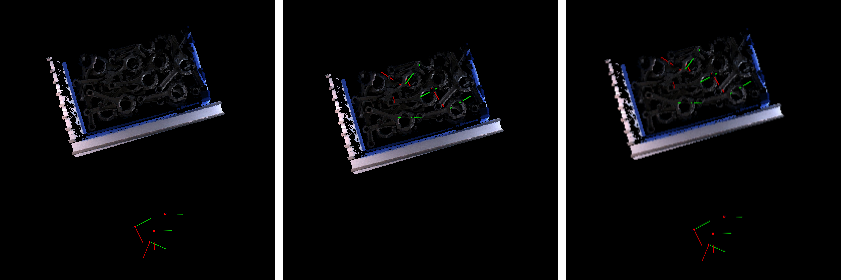
Translate Poses by Direction and Distance
Function
This Step translates input poses along a specified direction. The translation direction and distance can be obtained through input ports or set in Step parameters.
Input and Output
Input
| Input port | Data type | Description |
|---|---|---|
Original Poses |
Pose[] |
Poses input to this port will be translated. |
Customized Direction |
Vector3D[] |
Custom vectors that define the translation directions of the poses (optional, if this port is not used, the setting in the parameter will be used). |
Customized Distances |
Number[] |
Custom pose translation distances (optional, if this port is not used, the setting in the parameter will be used). |
Parameter Description
Visualization Settings
| Parameter | Description
|
|---|---|
Pose Type to Visualize |
Description: This parameter is used to select the pose type to visualize.
|
Reference Frame Settings
| Parameter | Description |
|---|---|
Reference Frame |
Description: This parameter selects the reference frame on which the translation direction is based.
|
Direction Settings
| Parameter | Description |
|---|---|
Direction |
Description: This parameter specifies the translation direction axis. When the "Customized Direction" input port is not connected, this parameter must be set.
|
Customized Direction |
Description: This parameter sets the customized translation direction. When Direction is set to "Customized", this parameter must be set.
|
Ignore Zero Norm Direction |
Description: When the "Customized Direction" input port is connected, this parameter determines whether to ignore zero-norm direction vectors. When selected, invalid vectors are ignored automatically.
|
Distance Settings
| Parameter | Description |
|---|---|
Translation Distance |
Description: This parameter sets the translation distance. When the "Customized Distances" input port is not connected, this parameter must be set.
|