Transform Poses
Function
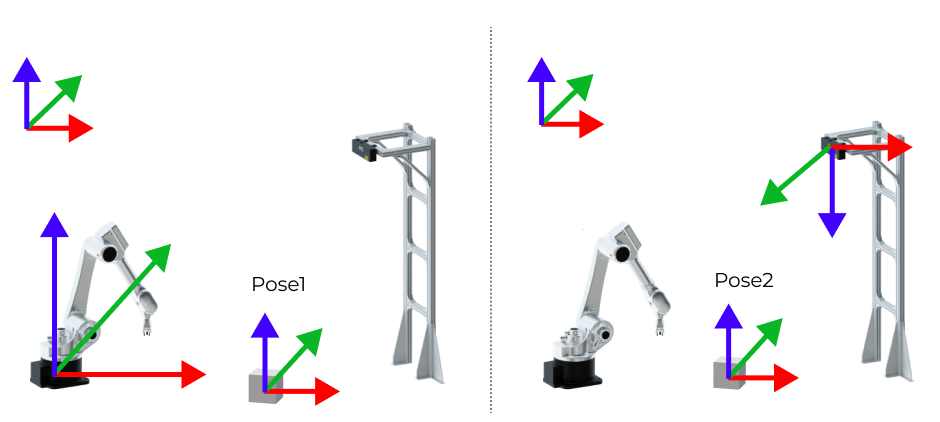
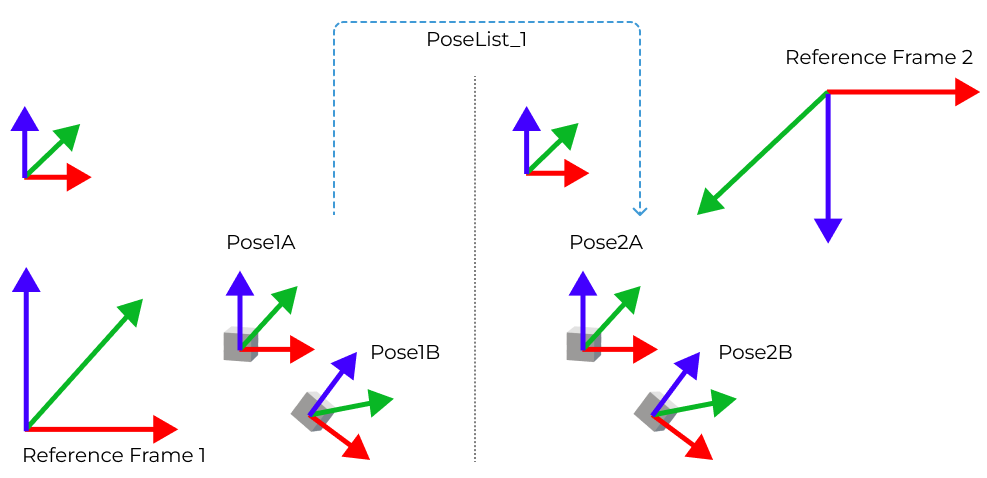
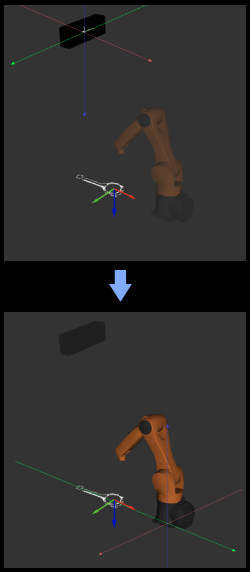
This Step can transform poses from one reference frame to another, or transform within its own reference frame according to the reference pose.
Usage Scenario
This Step is usually used to transform poses between camera reference frame and robot reference frame.
If you are using a truss robot, please use the Transform Poses for Truss Step.
Input and Output
Parameter Description
Visualization Settings
| Parameter | Description | ||||
|---|---|---|---|---|---|
Show Point Cloud In Selected Frame |
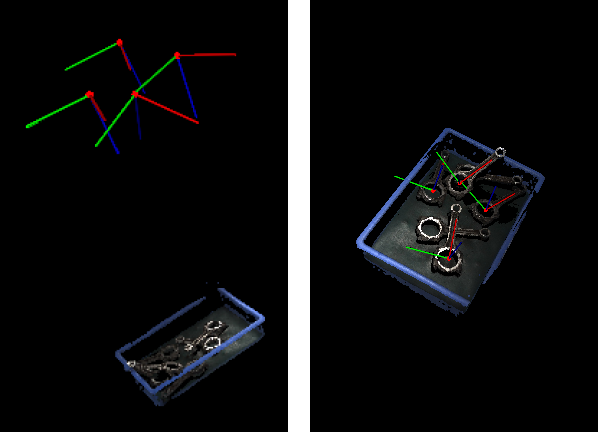
Description: Display point cloud under the robot reference frame or the camera reference frame. Default value: Robot Coordinate Value list: Robot Coordinate, Camera Coordinate Instruction: When this parameter is set to Robot Coordinate, the Debug Output panel will display the visualized output under the camera reference frame; when it is set to Robot Coordinate, the panel will display the visualized output under the robot reference frame. Please refer to the tuning example for the corresponding result.
|
||||
Pose Type to Visualize |
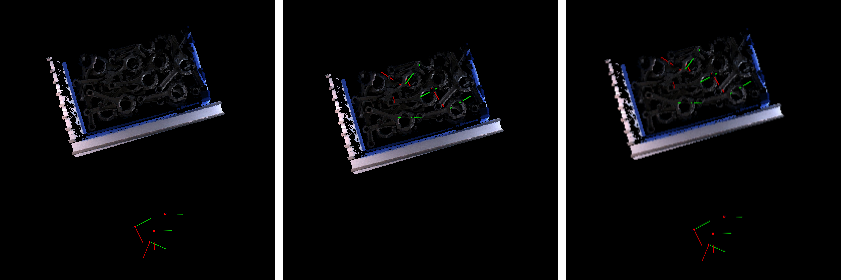
Description: This parameter is used to select the pose type to visualize.
|
Transformation Settings
| Parameter | Description |
|---|---|
Transformation Type |
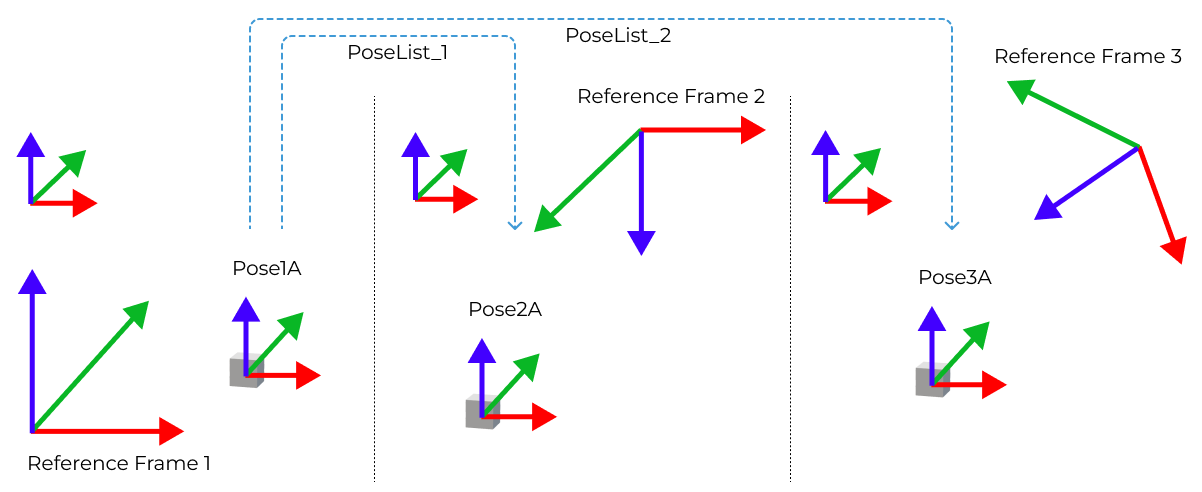
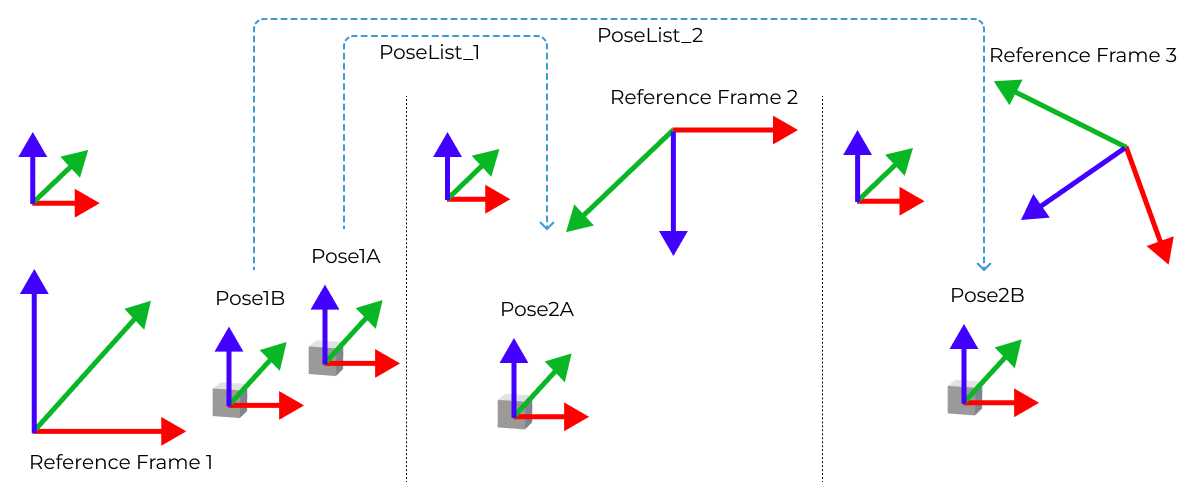
Description: This parameter is used to select the type of pose transformation. Default value: CameraToRobot Value list: CameraToRobot, RobotToCamera, AllWithFrst, FirstWithAll, and UseCorrespondenceInput Instructions:
|
Tuning Examples
Show Point Cloud In Selected Frame
As shown below, the figure on the left shows the point cloud in the camera reference frame, and the figure on the right shows the point cloud in the robot reference frame.
Pose Type to Visualize
In the case of the robot reference frame, the visualized poses are as follows when the Pose Type to Visualize is set to After, Before, and All.
CameraToRobot
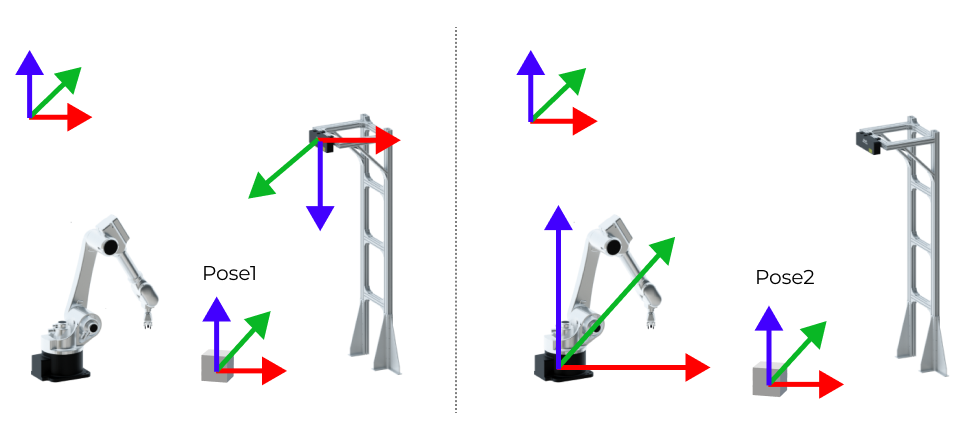
The following figure shows the results before (left) and after (right) pose transformation of CameraToRobot.
RobotToCamera
The following figure shows the results before (left) and after (right) pose transformation of RobotToCamera.