Rotate Poses' Axes to Specified Directions
Function
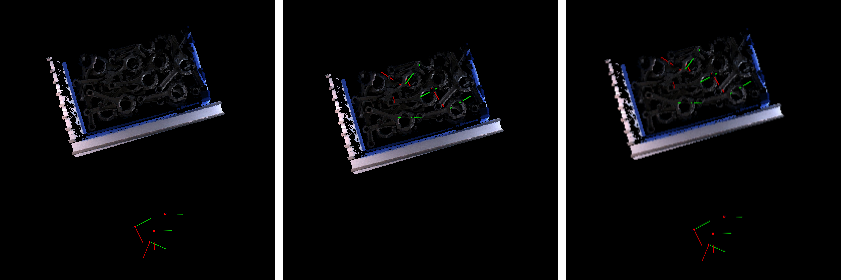
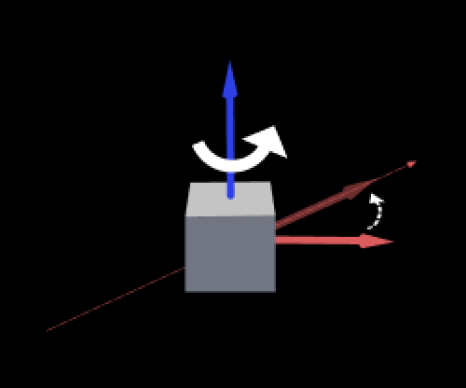
This Step rotates poses around a fixed axis so that the specified axis is aligned with a custom direction.
Input and Output
Input
| Input port | Data type | Description |
|---|---|---|
Original Poses |
Pose[] |
Poses input to this port will be rotated. |
Customized Axis |
Pose[] |
Original poses will be rotated to the custom orientation input to this port according to rules. This input port is displayed when "Direction Setting Data Type" under "When Directions Came From Input" is set to "Pose". |
Customized Directions |
Vector3D[] |
Dynamically changing target direction. This input port is displayed when "Direction Setting Data Type" under "When Directions Came From Input" is set to "Vector3d". |
Parameter Description
Visualization Settings
| Parameter | Description
|
|---|---|
Pose Type to Visualize |
Description: This parameter is used to select the pose type to visualize.
|
Rotation Settings
| Parameter | Description |
|---|---|
Axis to Rotate |
Description: This parameter specifies the axis that should point to the target direction.
|
Fixed Axis |
Description: This parameter specifies the axis that remains fixed during rotation. Poses are rotated around this axis.
|
Symmetry settings
| Parameter | Description |
|---|---|
Consider Rotational Symmetry |
Description: This parameter determines whether to consider object symmetry in rotation. When enabled, all directions obtained by rotating integer multiples of **Symmetry Angle** around the target axis are regarded as the same, and the pose with the smallest angle to the target direction is selected as output.
|
Symmetry Angle (0–360) |
Description: This parameter sets the minimum rotational symmetry angle of the object along the target axis. Each time the object rotates by this symmetry angle around the fixed axis, its orientation is regarded as the same.
|
When Directions Came From Input
| Parameter | Description |
|---|---|
Direction Setting Data Type |
Description: This parameter specifies the data type of the target direction from the input port.
|
Ignore Zero Norm Direction |
Description: When the "Customized Direction" input port is connected, this parameter determines whether to ignore zero-norm direction vectors. Once this option is selected, invalid vectors will be ignored automatically.
|
Goal Direction Settings
| Parameter | Description |
|---|---|
Reference Frame |
Description: This parameter displays the reference frame used by the current target direction.
|
Goal Axis |
Description: This parameter specifies the target axis direction to which the "Axis to Rotate" should align.
|
Customized Direction |
Description: This parameter specifies the reference vector of the target direction when Goal Axis is set to "Customized".
|