Morphological Transformations
Function
This Step is used to apply operations such as dilation, erosion, and opening and closing to denoise, fill, etc. based on actual requirements.
Usage Scenario
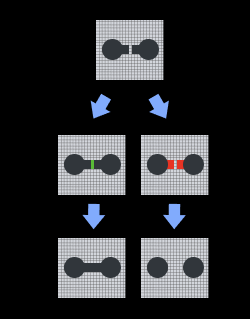
This Step is a general image processing Step. When the image quality is poor or further adjustments are needed, operations such as dilation, erosion, opening, and closing can be used to denoise or fill the image based on different requirements.
Input Description
| Input item | Description |
|---|---|
Image |
The input image will be processed with morphological transformations. |
Parameter Description
Morphological Transformation Type
| Parameter | Description |
|---|---|
Morphological Transformation Type |
Parameter description: Select the morphological transformation type.
|
Closing
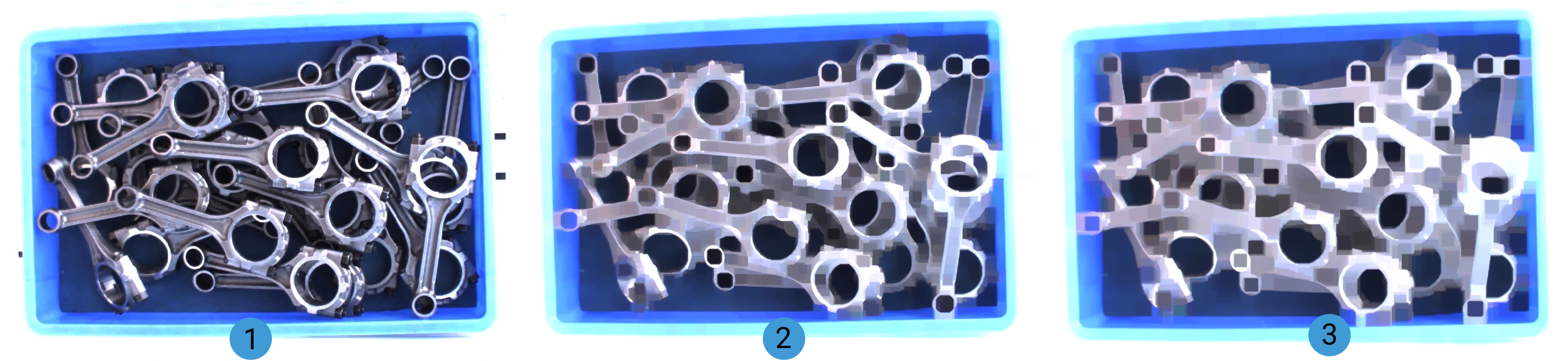
The closing operation is essentially dilation followed by erosion. It can fill small holes and smooth edges, effectively addressing the problem of rough edges caused by noise.
| Parameter | Description |
|---|---|
Kernel Size |
Default value: 21 pix
|
Kernel Shape |
Default value: Rectangle Value list: Rectangle, Cross, Ellipse Tuning instructions: It is recommended to select Rectangle. Choose other shapes based on specific requirements.
|
Dilation
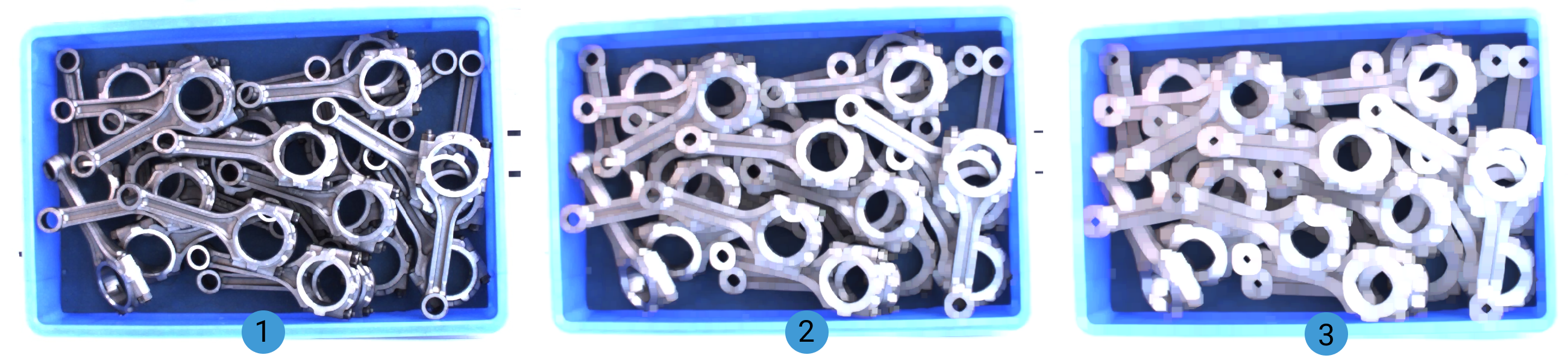
It can fill small holes in an image to make the image more complete.
| Parameter | Description |
|---|---|
Kernel Size |
Default value: 3 pix
|
Kernel Shape |
Default value: Rectangle Value list: Rectangle, Cross, Ellipse Tuning instructions: It is recommended to select Rectangle. Choose other shapes based on specific requirements.
|
Erosion
It can remove small objects or noise in the image to make the image clearer.
| Parameter | Description |
|---|---|
Kernel Size |
Default value: 3 pix
|
Kernel Shape |
Default value: Rectangle Value list: Rectangle, Cross, Ellipse Tuning instructions: It is recommended to select Rectangle. Choose other shapes based on specific requirements.
|
Opening
The opening operation is essentially erosion followed by dilation. It can remove the small noise in the image while preserving the edges and main features of objects.
| Parameter | Description |
|---|---|
Kernel Size |
Default value: 21 pix
|
Kernel Shape |
Default value: Rectangle Value list: Rectangle, Cross, Ellipse Tuning instructions: It is recommended to select Rectangle. Choose other shapes based on specific requirements.
|
Skeleton
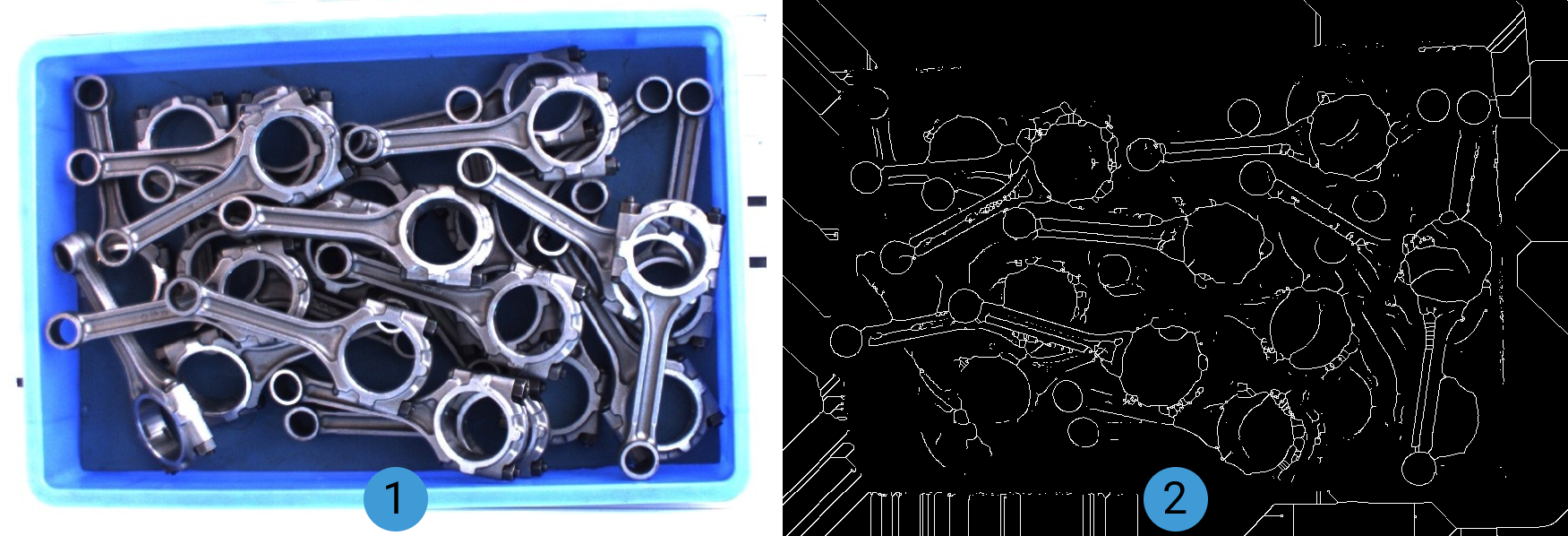
It can extract the skeleton of a mask. See Tuning Examples for specific effects.
Output Description
| Output item | Description |
|---|---|
Processed Image |
The image after morphological processing. |
Tuning Examples
Closing
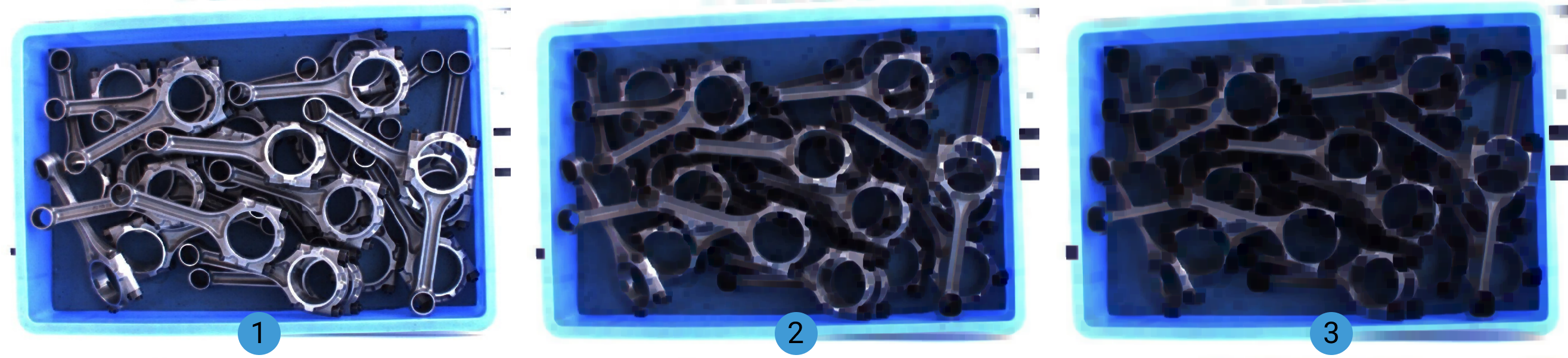
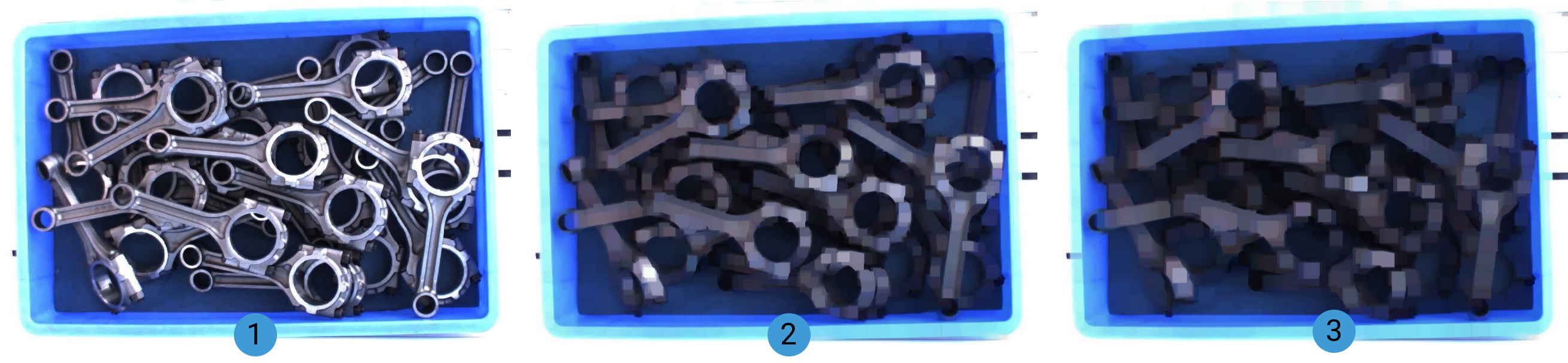
When the Closing operation is selected, the image effects with increasing kernel size are shown below (from 1 to 3 in the figure, the kernel size gradually increases).
Dilation
When the Dilation operation is selected, the image effects with increasing kernel size are shown below (from 1 to 3 in the figure, the kernel size gradually increases).
Erosion
When the Erosion operation is selected, the image effects with increasing kernel size are shown below (from 1 to 3 in the figure, the kernel size gradually increases).