Custom Communication Mode
Custom communication mode means establishing device connections through standard or custom industrial communication protocols. Data interaction follows mutually agreed formats and parsing rules. This mode is suitable for scenarios with special communication requirements and can flexibly meet various system integration needs.
Application Scenarios of Custom Communication Mode
The core value of custom communication mode is to unify communication parsing, project triggering, result return, and data archiving into one configurable workflow, without writing scripts or developing adapters for each project. This not only lowers implementation and maintenance barriers, but also allows communication solutions to be adjusted quickly based on on-site needs.
This mode applies to a wide range of scenarios, for example:
-
Traceability scenario: After an external device (such as MES or line PLC) sends the workpiece SN code, the system automatically triggers inspection, returns measurement results to the upper-level system, and archives images and results associated with the SN code.
-
Mixed-line scenario: A single production line manufactures multiple products. Based on the model field sent by external devices, the system automatically switches to the corresponding measurement project and parameters, reducing product switch-over risks without manual program changes.
-
Rapid-change scenario: When temporary on-site requirements arise, such as adding return fields, adjusting message formats, or connecting to a new upper-level system, quick adaptation can be achieved through configuration without a software release update.
Configuration Process of Custom Communication Mode
The following diagram shows the configuration process of custom communication mode. Specific steps may vary by application scenario. Follow actual operations.

The configuration steps are described as follows:
| No. | Step | Description |
|---|---|---|
1 |
Negotiate communication specifications |
Both parties need to agree on the industrial communication protocol to use (such as TCP or Modbus), and clarify data formats, transmission methods, and parsing rules. For details, see Negotiate Communication Specifications. |
2 |
Configure custom communication service |
Create and configure a custom communication service in Mech-MSR, and set protocol parameters and data mapping rules. For details, see Configure Custom Communication Service. |
3 |
Build communication and measurement projects |
Build Mech-MSR projects based on communication and measurement requirements to implement logic such as data parsing, project triggering, measurement execution, and result return. For details, see Build Communication and Measurement Projects. |
4 |
Configure communication trigger rules |
Set trigger rules to define when project execution is triggered by custom communication services. For details, see Configure Communication Trigger Rules. |
5 |
Communication test |
After configuration is complete, perform communication tests to verify whether communication connections, data interaction, and processing logic meet expectations. For details, see Communication Test. |
Operating Mechanism of Custom Communication Mode
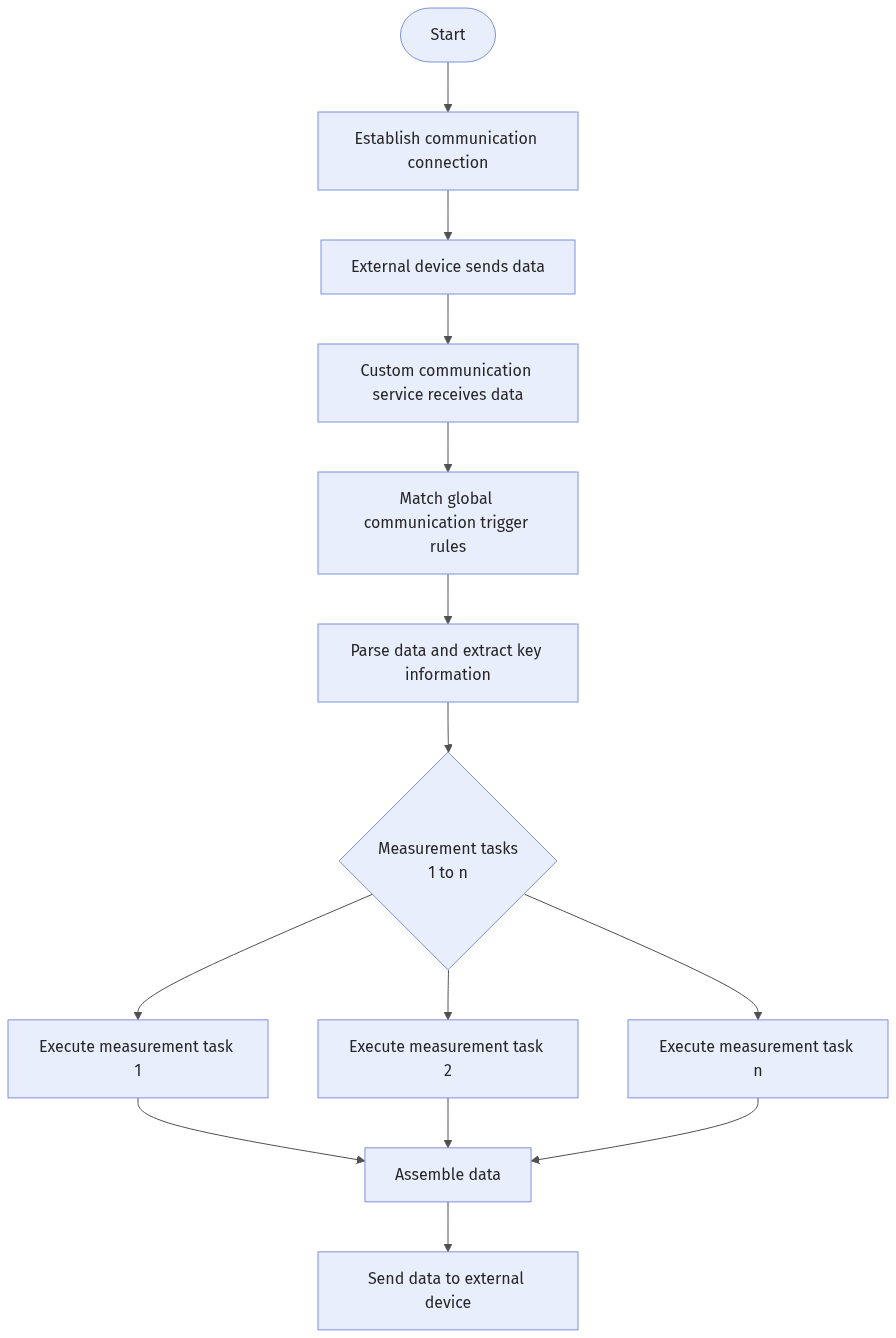
After completing the configuration process above, the system runs according to the following mechanism.