Image Arithmetic Operation
Description
This Step is used to perform pixel-wise arithmetic operations (addition, subtraction, multiplication, or division) or combination operations (maximum, minimum, inversion) on the input grayscale images. The result can be adjusted using a multiplier and an addend. If the input consists of two images, the two images must have the same size.
Usage Scenario
This Step is mainly used to perform pixel-by-pixel operation on the grayscale image and generate a new image. For example, two grayscale images can be synthesized pixel-wise by adding, taking the maximum value, or taking the minimum value; the grayscale difference between the two images can be highlighted by subtraction; the grayscale variation relationship can be adjusted by multiplication or division; and the relationship between light and darkness can be reversed by inverting the relationship for image preprocessing before subsequent processing.
Basic Concepts
-
Grayscale image
In a grayscale image, each pixel value represents brightness, ranging from 0 to 255, where 0 is the darkest and 255 is the brightest.
-
Pixel-level operations
Pixel-level operations involve processing pixels at corresponding positions in the input image(s) individually to generate a new image. For operation types that require two input images, the two images must be of the same size. The operation result is not clipped immediately. After multiplier and addend adjustments, if the final pixel value falls outside the range of 0–255, it is clipped to this range.
Workflow
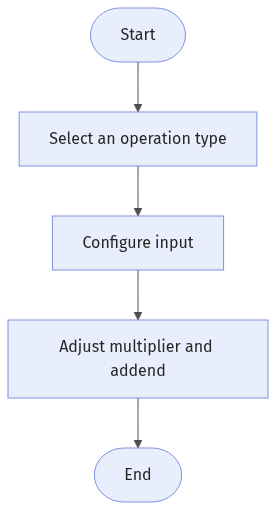
The process of configuring this Step is shown below:
-
Select the Operation to perform in the Parameters section.
-
Configure the input. Connect the Step ports in the graphical programming workspace or select the input under Input in the parameter configuration panel.
-
Adjust the Multiplier and Addend parameters as needed to further adjust the operation result.
-
Run the Step, and view output.
Input Description
| Input Item | Description |
|---|---|
Grayscale Image 1 |
The first grayscale image used for the operation. |
Grayscale Image 2 |
The second grayscale image used for the operation. |
Grayscale Image |
The image used for gray value inversion. Only visible when Operation is set to Invert. |
Parameter Description
| Parameter | Description | ||
|---|---|---|---|
Operation |
This parameter is used to select the type of pixel-level operation to be performed.
|
||
Multiplier |
The parameter is used to adjust each pixel value of the image after the operation. Final pixel value = Pixel value after operation × Multiplier + Addend. When the multiplier and addend work together, if the final pixel value falls outside the range of 0–255, the result will be clipped to this range. This Step is mainly used to adjust the scaling of the operation result. Increasing the multiplier typically enhances contrast (differences between light and dark), while decreasing it reduces contrast. Default value: 1.0 |
||
Addend |
The parameter is used to adjust each pixel value of the image after the operation. Final pixel value = Pixel value after operation × Multiplier + Addend. When the multiplier and addend work together, if the final pixel value falls outside the range of 0–255, the result will be clipped to this range. Primarily used to shift pixel values globally. Increasing the addend brightens the overall image, while decreasing it darkens the image. Default value: 0 |
Troubleshooting
|
Inconsistent Input Image Sizes
Symptom:
After the Step is run, it prompts that the input single-channel images should be of the same size.
Possible Cause:
The two input grayscale images are of different sizes, making pixel-by-pixel operation impossible.
Solution:
Check the dimensions of the two input grayscale images to ensure that they are identical before running the Step.