Understand Solution Structure
Mech-MSR solution consists of solution configuration files, projects, and various configurations and data used or generated during software runtime. The specific contents in the solution folder vary depending on the functions used.
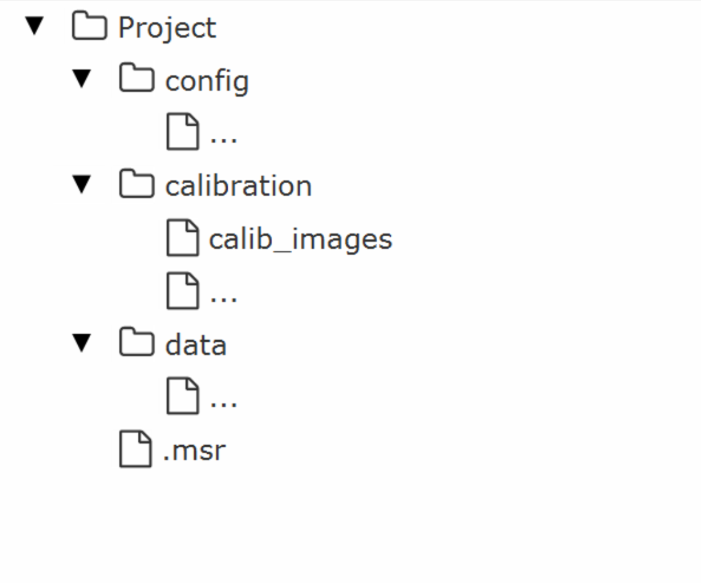
The main structure of the solution folder is shown in the figure below.
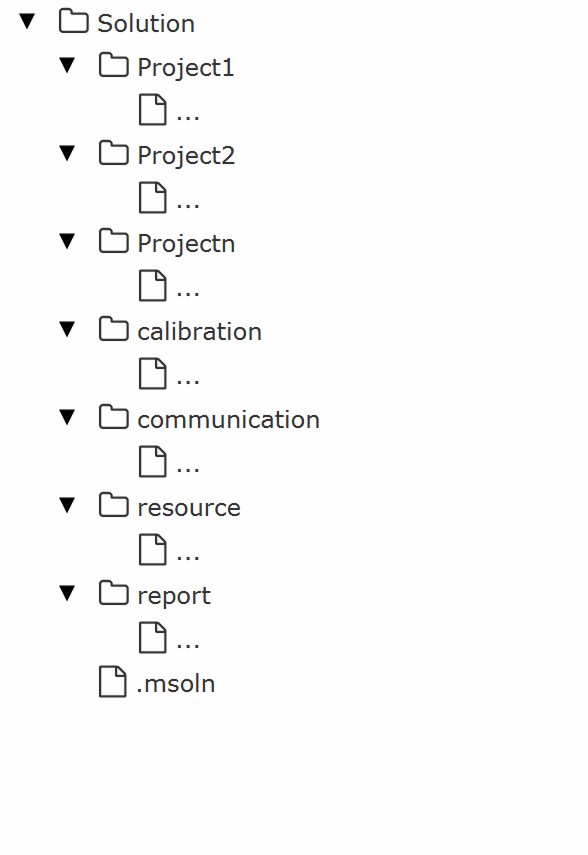
The directories and files that may be contained in the solution folder are listed in the table below.
|
Please do not manually modify files in the solution folder, as this may cause file corruption and prevent the solution from functioning properly. |
| Solution Component | Illustration | Description |
|---|---|---|
Project |
|
The project directory stores project configurations, project‑level calibration data (relevant calibration files for structured‑light 3D cameras), project runtime data, main project file, and other items. |
Calibration data |
|
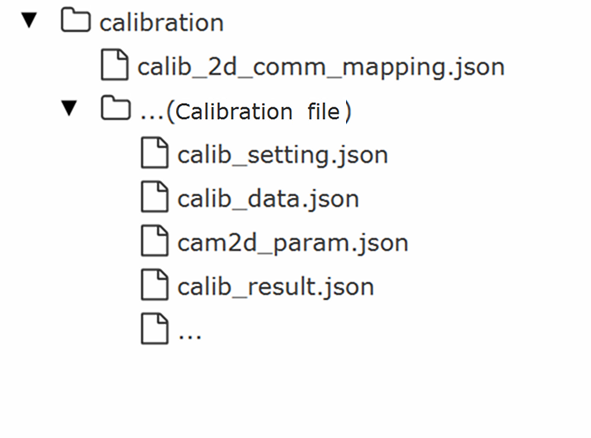
The calibration data directory stores relevant calibration files for 2D cameras or 3D laser profilers. |
Communication configuration |
|
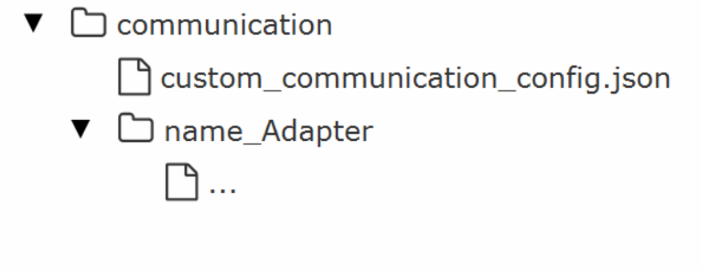
The communication configuration directory stores configurations related to custom and standard communications. |
Other resource files |
|
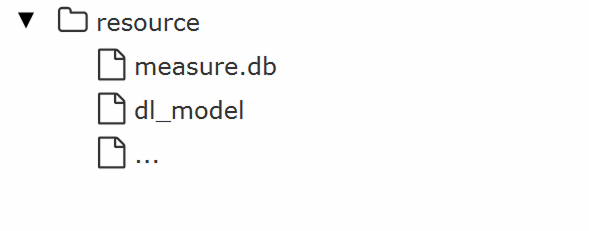
The resource directory stores resources needed to run the solution. Files in the directory vary with the functions used by the solution. They may include measurement item data for statistical reports, deep learning model packages, and other function files. |
Statistical report |
|
The statistical report directory stores statistical report data exported from the home interface or production interface. |
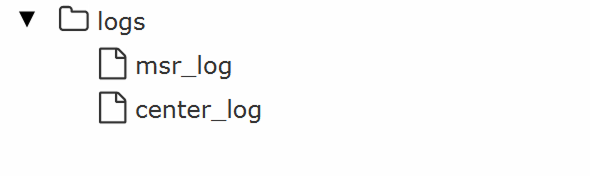
Log files |
|
Log files are generally not located in the original solution directory. When using the Back up Solution function, if the backup logs option is selected, the software copies the relevant logs to the log directory inside the backup folder. |
Solution configuration file |
|
|