Count Pixels in Grayscale Range
Description
This Step is used to count the number of pixels within the specified region of a grayscale image that fall within the defined grayscale threshold ranges.
Usage Scenario
This Step is applicable to scenarios where the number of pixels in a specified grayscale range in an image or a specified region needs to be counted.
For example, it can track pixel count changes in bright spots, dark spots, or specific grayscale regions, determine the proportion of a given grayscale class within the target region, or provide a quantitative basis for thresholding results.
Workflow
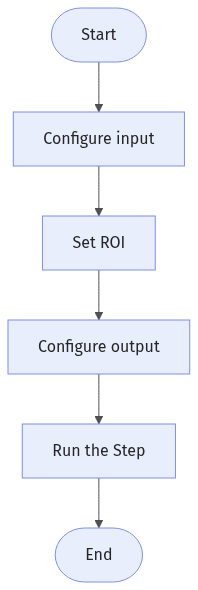
The process of configuring this Step is shown below:
-
Configure the input. Connect the Step ports in the graphical programming workspace or select the input under Input in the parameter configuration panel.
-
Set the ROI.
-
Set one or more grayscale threshold ranges.
-
Select the output items in the Output section, and set the acceptable range for the output items.
Input Description
| Input Item | Description |
|---|---|
Grayscale Image |
The grayscale image used for pixel counting. |
Alignment Parameter Group |
Optional input. Used to adjust the pose of the ROI synchronously based on the pose transformation of the target object. |
Parameter Description
| Parameter | Description |
|---|---|
ROI Settings |
This parameter is used to set the image area for pixel counting. When the Step is executed, only the number of pixels whose grayscale values fall within the set threshold in the ROI will be counted. See 2D ROI Settings to learn how to set and adjust the ROI. |
Threshold Ranges |
This parameter defines one or more closed-interval grayscale ranges. When the input grayscale image is counted as pixels, the number of pixels falling within these ranges will be counted. When multiple ranges are set, overlapping grayscale values do not result in duplicate pixel counts. |
Output Description
| Output Item | Description |
|---|---|
Mask |
A single-channel binary image generated by thresholding. Pixels with gray values within the specified threshold ranges are set to 255 (white), while others are set to 0 (black). |
Pixel Count |
The number of pixels with gray values within the specified threshold ranges. |
Troubleshooting
|
For common errors, see Error Code List. |