Collision Detection

You are currently viewing the documentation for a pre-release version (2.2.0). To access documentation for other versions, click the "Switch Version" button located in the upper-right corner of the page.

■ If you're unsure about the version of the product you are using, please contact Mech-Mind Technical Support for assistance.

In this functional panel, you can configure the collision detection. During robot path planning, Mech-Viz will highlight areas where collisions might occur in the 3D simulation area and halt the project to prevent actual collisions.
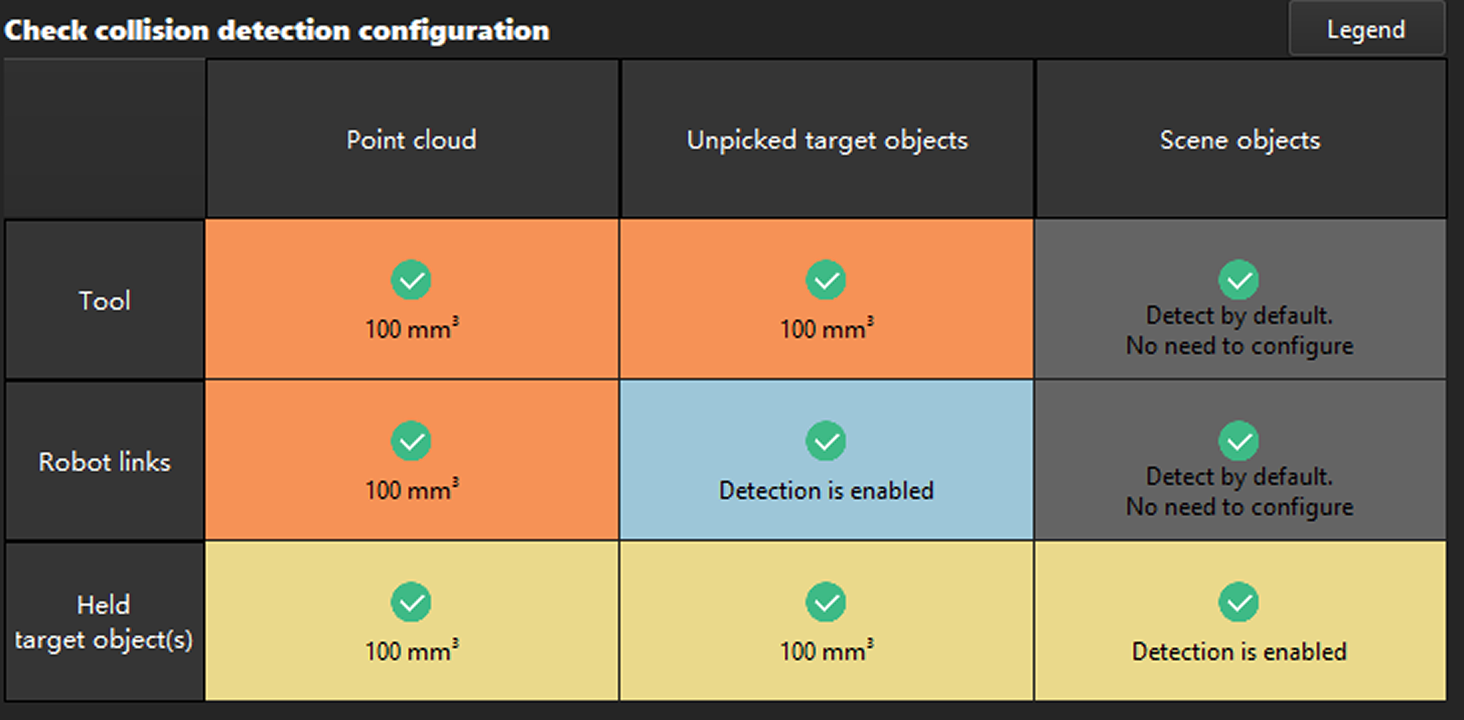
alt

This table dynamically displays the configuration of all types of collision detection. Click Legend to view what the different colors in the table represent. Hover the mouse cursor over the specific cell to check how to enable the corresponding collision detection.

For more operation instruction, please see Configure Collision Detection.

Is this page helpful?

You can give a feedback in any of the following ways:

We Value Your Privacy

We use cookies to provide you with the best possible experience on our website. By continuing to use the site, you acknowledge that you agree to the use of cookies. If you decline, a single cookie will be used to ensure you're not tracked or remembered when you visit this website.