Stratify Values by Thresholds
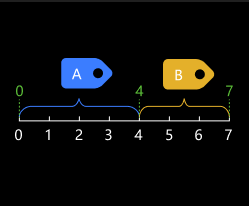
Usage Scenario
This Step sorts and labels data by values. It is usually used with Validate Labels and Output Flags to filter the data list by value intervals.
If you need to divide the data list into two parts by a threshold and filter out one of them, please use Dichotomize Values by Threshold together with Filter instead.
Parameter Description
File Settings
| Parameter | Description | ||||||
|---|---|---|---|---|---|---|---|
Threshold File Name |
Description: This parameter is used to set one or more thresholds and save the thresholds as a JSON file. The input values will be sorted based on the threshold. Value type: integer or float.
Tuning recommendation: You can set one or more thresholds, and the thresholds should be arranged in ascending order. Setting procedures:
|
||||||
Label File Name |
Description: This parameter is used to set labels after sorting the data and save the labels as a JSON file. Data type: strings (without special characters)
Instruction: the number of labels = the number of thresholds + 1. The correspondence between thresholds and labels is determined by their sorting, irrelevant to the label names. 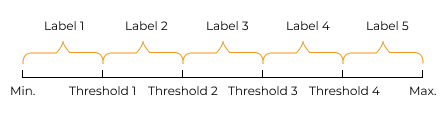
Setting procedures:
|


