Detect and Fit Circle
Usage Scenario
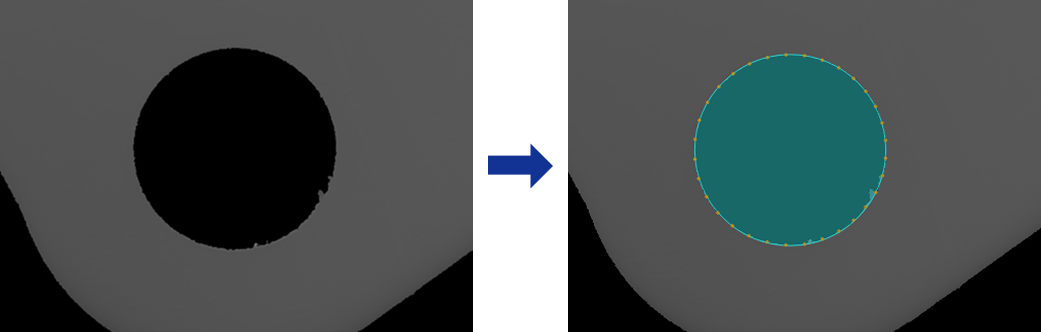
This Step is mainly used for automatic inspection, center localization, radius measurement of workpieces or parts with circular contours.
Basic Concepts
-
Caliper
In image processing, a virtual measurement tool detects edges within a specified region. Adjusting its count, width, and length affects the accuracy and stability of edge detection.
-
Edge Polarity
It refers to the direction of grayscale change across an edge, e.g., dark-to-light or light-to-dark.
Input and Output
Input
| Input port | Data Type | Description |
|---|---|---|
Image |
Image |
The image used for detecting a circular edge. |
Object Pose |
Pose2D |
The position and orientation of the matched objects in the image. |
Output
| Output port | Data Type | Description |
|---|---|---|
Fitted Circle |
Shape2D/Circle |
The circle obtained through fitting. |
Circle Center |
Shape2D/Point |
The center of the fitted circle. |
Circle Center X |
Number |
The X coordinate of the center of the fitted circle. |
Circle Center Y |
Number |
The Y coordinate of the center of the fitted circle. |
Radius |
Number |
The radius of the fitted circle. |
Parameter Description
| Parameter | Description |
|---|---|
ROI Settings |
A circular ROI can be drawn. The system then extracts multiple pixel columns based on the caliper settings, and edge points detected in each column are used for circle fitting. For a closed ROI, such as a circle, the calipers detect edges outward from the inside of the ROI. The caliper direction generally does not need adjustment, and rotating the ROI does not change the detection direction. |
Edge Polarity |
This parameter specifies the direction in which the grayscale values change at the edges. Value list:
|
Filter Window Size |
Specify the window size to be used when filtering each column of pixels in its direction. Filtering can reduce noise and improve the stability of edge detection results. |
Edge Type |
Define the edge types to be retained in edge detection. Value list: Best, First, Last. |
Gray Value Change Threshold |
This parameter specifies the minimum gray value change between adjacent pixels at the edge of an extracted pixel column required for edge point detection. Setting this parameter value properly can effectively filter out weak edges and noise. |
Use Relative Threshold |
Once selected, an edge point is detected only if the gray value change between adjacent pixels at the edge of a pixel column meets or exceeds the specified percentage of the maximum change in that column. Once this parameter is selected, set Relative Threshold. |
Outlier Fraction |
The percentage of outlier points to be removed during circle fitting. |