Detect Shape Feature of Region
Function
This Step detects the bounding and inscribed rectangles of the non-zero pixel region of the mask.
Parameter Description
| Parameter | Description |
|---|---|
Region Feature Type |
Description: This parameter is used to select the detection method you want to use.
|
| Detection Method | Description | Illustration |
|---|---|---|
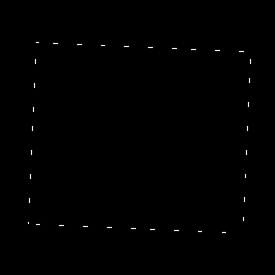
AlignedCircumscribedRect |
Calculate the bounding rectangle of the input mask, which can align as closely as possible with the edge of the mask. |
|
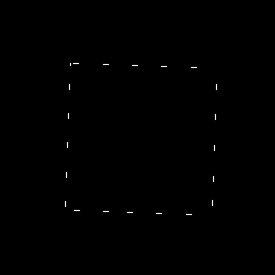
AlignedInscribedRect |
Calculate the inscribed rectangle of the input mask, which can align as closely as possible with the edge of the mask. |
|
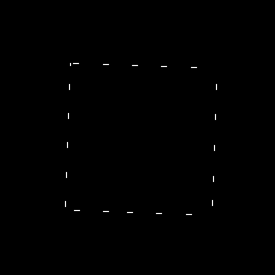
LargestInscribedRect |
Calculate the maximum inscribed rectangle of the input mask. |
|
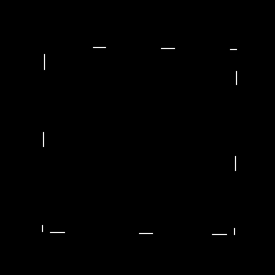
SmallestCircumscribedRect |
Calculate the minimum bounding rectangle of the input masks. |
|
The following sections introduce the parameters for each region feature type.
AlignedCircumscribedRect
When the region feature type is selected, the following parameters should be adjusted.
| Parameter | Description |
|---|---|
Edge Align Search Radius |
Description: This parameter is used to determine whether the mask coincides with the bounding rectangle. When the distance from a contour point to the bounding rectangle contour point is smaller than this radius, the contour point is considered coincident with the bounding rectangle contour point.
|
Fill Region Feature |
Description: This parameter is used to select whether to fill the bounding rectangle. If selected, the bounding rectangle will be filled.
|
AlignedInscribedRect
When the region feature type is selected, the following parameters should be adjusted.
| Parameter | Description |
|---|---|
Edge Align Search Radius |
Description: This parameter is used to determine whether the mask coincides with the inscribed rectangle. When the distance from a contour point to the inscribed rectangle contour point is smaller than this radius, the contour point is considered coincident with the inscribed rectangle contour point.
|
Translation Step |
Description: The translation Step of the rectangle center when calculating the inscribed rectangle. The smaller the value, the longer the calculation time and the higher the calculation accuracy of the inscribed rectangle.
|
Fill Region Feature |
Description: This parameter is used to select whether to fill the inscribed rectangle. If selected, the inscribed rectangle will be filled.
|
LargestInscribedRect
When the region feature type is selected, the following parameters should be adjusted.
| Parameter | Description |
|---|---|
Rotation Step (0 to 360) |
Description: The rotation Step along the long axis of the rectangle when calculating the maximum inscribed rectangle. The smaller the value, the longer the calculation time and the higher the calculation accuracy of the maximum inscribed rectangle. |
Translation Step |
Description: The translation Step of the rectangle center when calculating the maximum inscribed rectangle. The smaller the value, the longer the calculation time and the higher the calculation accuracy of the maximum inscribed rectangle.
|
Fill Region Feature |
Description: This parameter is used to determine whether to fill the maximum inscribed rectangle. If selected, the maximum inscribed rectangle will be filled.
|
SmallestCircumscribedRect
When the region feature type is selected, the following parameters should be adjusted.
| Parameter | Description |
|---|---|
Fill Region Feature |
Description: This parameter is used to determine whether to fill the minimum bounding rectangle. If selected, the minimum bounding rectangle will be filled.
|