Get Highest Layer Clouds
Function
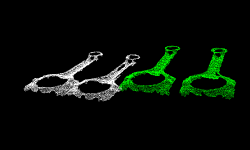
This Step sorts the centers of point cloud parts in descending order along a specified direction, and then obtains the highest-layer point cloud.
Usage Scenario
Keep point clouds that meet the requirements along the user-defined reference direction. Unlike Get Highest-Layer Points, this Step process the point cloud directly and usually follows Steps such as Point Cloud Clustering, and Apply Masks to Point Cloud.
Input and Output
Input
| Input port | Data type | Description |
|---|---|---|
Point Clouds |
PointCloud/XYZNormal[] |
Point cloud to be processed is input to this port. |
Labels |
String[] |
Input a label for the point cloud at this port (optional). |
Confidences |
Number[] |
Input the confidence of the point cloud at this port (optional). |
Layer Height |
Number[] |
Input the layer height corresponding to each point cloud at this port. |
Output
| Output port | Data type | Description |
|---|---|---|
Point Clouds |
PointCloud/XYZNormal[] |
Output the processed point cloud. |
Labels |
String[] |
Output the labels of the processed point cloud (optional). |
Confidences |
Number[] |
Output the confidence of the processed point cloud (optional). |
Visualization Point Cloud |
PointCloud/XYZRGB[] |
Output the point cloud for visualization. |
Parameter Description
Reference Direction
| Parameter | Description |
|---|---|
X, Y, Z |
Default setting: X = 0; Y = 0; Z = 1.0
|
Layer Settings
| Parameter | Description |
|---|---|
Only Get Highest One |
Default Value: Unselected.
|
Layer Height |
Description: This parameter is used to set the layer height of the highest-layer point clouds. Point clouds within this height will be retained. Default value: 100.000 mm The figure below shows the output effects when the layer height is set to 100.000 mm and 35.000 mm, respectively. 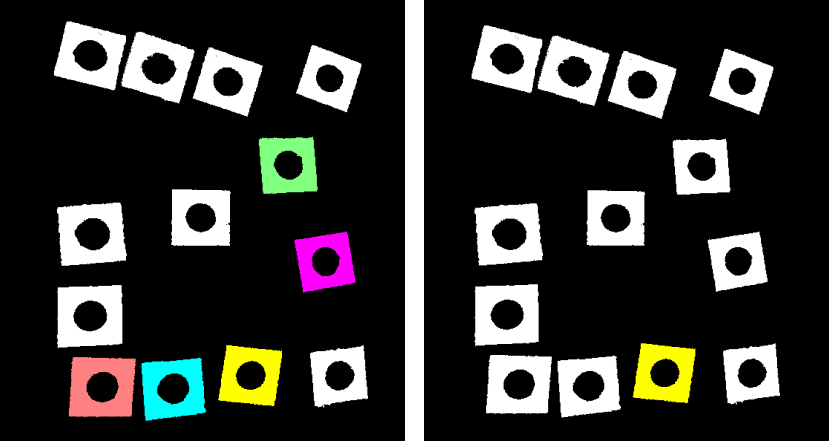
|
Layer Tolerance |
Default value: 1.0000
|