Filter Poses by Predefined Options
This section introduces how to filter poses with the provided pose filtering options.
provides three pose filtering methods, Filter by angle, Filter out poses out of ROI, and Get highest layer poses. You can click the button on the right+ to add them.
|
Up to three pose filtering options can be added. At most one “Filter out poses out of ROI” option or one “Get highest layer poses” option can be added. |
Filter by angle
Function
This option calculates the angle between the specified axis of the pose and the reference pose, and the poses with an angle less than the set Max angle difference will be retained.
Usage Instructions
Axis to be specified
This parameter specifies an axis of the pose, and the angle between this specified axis and the target direction will be calculated.
Set target direction
This parameter is used to set the target direction.
No. |
Method |
Description |
Instruction |
Illustration |
1 |
Robot frame |
Use the robot frame as the reference pose. |
||
2 |
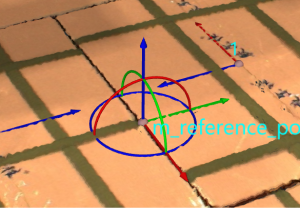
Drag with pose manipulator |
Set the reference pose with the pose manipulator. |
|
|