Vision Result Details
This window is used to view the details of the vision result, making it easier to locate the cause of a task failure and troubleshoot errors.
Depending on whether the vision result corresponds to a target object for picking or a target object for trajectory, the information displayed in the window varies. The following sections describe them respectively.
Vision Result Details of Target Objects for Picking
The vision result details window of target objects for picking mainly consists of three parts: "Vision result summary", "Target object", "Pick point" and "Path planning result".
Vision Result Summary
| Project | Description |
|---|---|
Vision project |
The name of the Mech-Vision project that provides the vision result. |
Total number of target objects |
The total number of target objects involved in vision results sent by a single vision service. |
Total number of pick points |
The total number of pick points involved in vision results sent by a single vision service. |
Target Object
| Project | Description |
|---|---|
Target object ID |
The target object ID displayed in the target object editor. |
Target object name |
The target object name set in the target object editor. |
Object center point |
The pose of the target object’s center point. |
Number of pick points |
The number of pick points on the target object. |
Pick Point
| Project | Description |
|---|---|
Pick point list |
The list formed by all the pick points on the target object. The number in the front indicates the pick point ID, while the name in the back represents the pick point name. |
Pick point No. |
The identification number of pick points displayed in the target object editor. 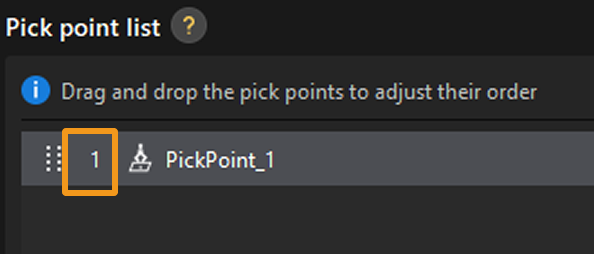
|
Pick point label |
Deep learning labels or numeric labels set in the target object editor. |
Pick point name |
The pick point name set in the target object editor. 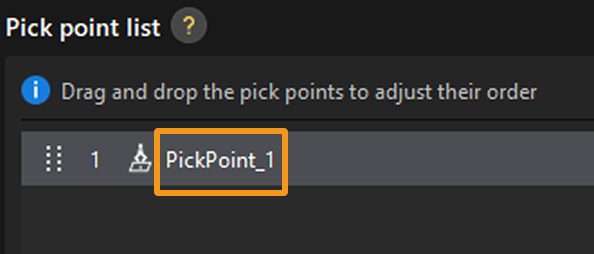
|
Pick Point |
The pose of the pick point. |
Status |
The status of the current pick point. For detailed information, please see in Pose Status Details. |
Path Planning Result
Click Pick point or Target object button to view the path planning result of specific pick point or target object.
You refer to Plan history functional panel for details.
Vision Result Details of Target Objects for Trajectory
The vision result details window of target objects for trajectory mainly consists of three parts: "Vision result summary", "Trajectory line" and "Trajectory point".
Vision Result Summary
| Project | Description |
|---|---|
Vision project |
The name of the Mech-Vision project that provides the vision result. |
Target object name |
The target object name set in the target object editor. |
Object center point |
The pose of the target object’s center point. |
Trajectory Line
| Project | Description |
|---|---|
Trajectory line ID |
The identification number of the trajectory line displayed in the target object editor. 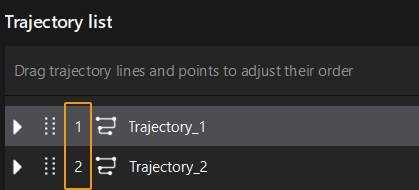
|
Trajectory line name |
The trajectory line name set in the target object editor. 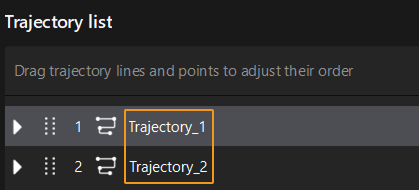
|
Status |
The status of the current trajectory line. For detailed information, please see in Pose Status Details. |
Number of trajectory points |
The number of trajectory points on the trajectory line. |
Trajectory Point
| Project | Description |
|---|---|
Trajectory point list |
The list of all trajectory points on the current trajectory line. 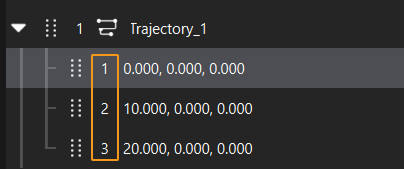
|
Trajectory point label |
Numeric labels set in the target object editor. |
Pose |
The pose of the current trajectory point. |
Status |
The status of the current trajectory point. For detailed information, please see in Pose Status Details. |