3D Fine Matching
Function
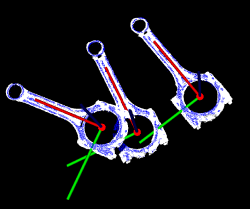
This Step can accurately match the point cloud model with the original point cloud and output more accurate poses of target objects.
Usage Scenario
This Step performs fine matching based on the matching results of 3D Coarse Matching V2 and outputs more accurate object poses that can be used as pick points.
Input and Output
Input
| Input port | Data type | Description |
|---|---|---|
Point Clouds (with normals) |
PointCloud/XYZNormal[] |
List of point clouds to match (usually the same as the point cloud list used in the Step "3D Coarse Matching V2"). |
Initial Poses |
Pose[][] |
Candidate pose list (usually obtained from Step "3D Coarse Matching V2"). |
Object Labels |
String[] |
The target object labels (optional). |
Object Confidences |
Number[] |
The target object confidence (optional). |
Output
| Output port | Data type | Description |
|---|---|---|
Object Center Points |
Pose[] |
List of object center points. |
Object Point Clouds (with normals) |
PointCloud/XYZNormal[] |
The model point cloud list generated by the matching results. |
Model Transformations |
Pose[] |
Model-to-scene transformation reference pose list. |
Object Labels |
String[] |
Labels of the target objects. |
Object Confidences |
Number[] |
Confidence values of the target objects. |
Pose Confidence Values |
Number[] |
List of confidence values of the corresponding object poses. |
Parameter Description
| Parameter | Description |
|---|---|
Parameter Tuning Level |
Parameter description: This parameter is used to select the Parameter Tuning Level for the Step.
|
Basic Parameter Tuning Level
This section introduces the parameters in the Basic parameter tuning level, and these parameters are also available in the Advanced Parameter Tuning Level.
Model Settings
| Parameter | Description |
|---|---|
Select Target Object |
Instructions: Click the drop-down button to select and apply a point cloud template and its corresponding geometric centers. |
Matching Method Settings
| Parameter | Description | ||
|---|---|---|---|
Matching Mode |
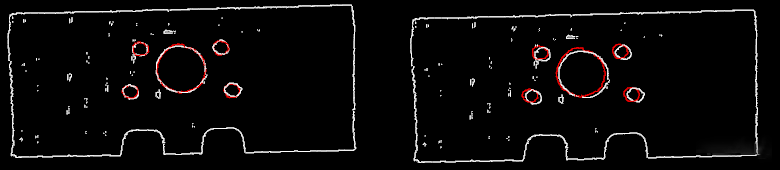
Parameter description: This parameter is used to select between Edge Matching and Surface Matching modes. Value list: Surface matching, Edge matching. Default value: Surface matching. Tuning recommendation: When the surface of the object has obvious recognizable features (such as crankshafts, rotors, and steel rods), it is recommended to use surface matching. You should create a point cloud model that represents the surface features of the object. When the object is relatively flat and shows clear and regular edge features under the camera (such as panels, track pads, connecting rods, and brake discs), it is recommended to use edge matching. You should create a point cloud model that represents the edge features of the object.
|
Matching Method
| Parameter | Description | Illustration |
|---|---|---|
Matching Method |
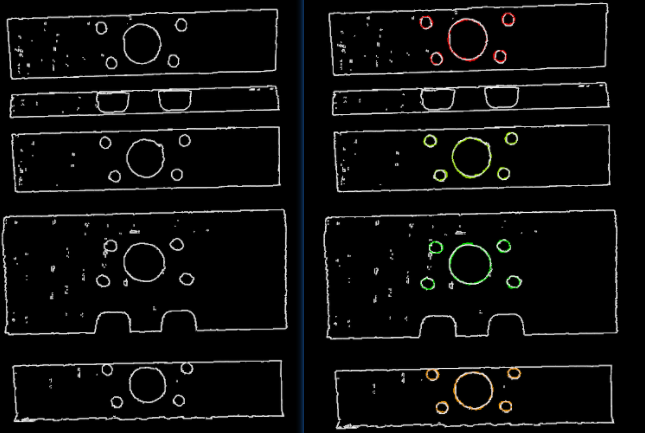
Description: This parameter is used to select the method for 3D fine matching.
|
|
Settings under GMM
| Parameter | Description | Illustration |
|---|---|---|
Matching Mode |
Default value: Standard Value list: HighSpeed, Standard, and HighPrecision.
|
|
Number of Iterations |
Default value: 30
|
|
Standard Deviation |
Default value: 3.000 mm
|
|
Standard Deviation Update Step Number |
Default value: 3
|
|
Speed Up on Large Object Quantities |
Default value: Disabled.
|
Settings under Nearest-Neighbor
Iteration Settings
| Parameter | Description |
|---|---|
Nearest Point Search Radius |
Default value: 10.000 mm
|
MSE Threshold |
Default value: 0.001
|
Window Size |
Default value: 10
|
Show Corresponse |
Default value: Unselected.
|
Complex Object |
Default value: Unselected.
|
Automatic Weight |
Default value: Unselected.
|
Point Pair Rejection
| Parameter | Description |
|---|---|
Reject Pair |
Default value: Unselected.
|
N Sigma Threshold |
Default value: 1.0000
|
Point Pair Angle Diff Thre |
Default value: 45°
|
Apply Weights on Pairs |
Default value: Unselected.
|
Remove Repeat Correspond |
Default value: Unselected.
|
Remove Repeat Correspond Type |
Default value: MinDis List of values: MinDis and GlobalMin Instruction: This parameter is used to select the method of removing repeating corresponding point pairs. There are two methods in total:
|
Sample Settings
| Parameter | Description | Illustration |
|---|---|---|
Sampling Interval |
Default value: 5.000 mm
|
|
Validation Settings
| Parameter | Description | Illustration | ||
|---|---|---|---|---|
Confidence Threshold |
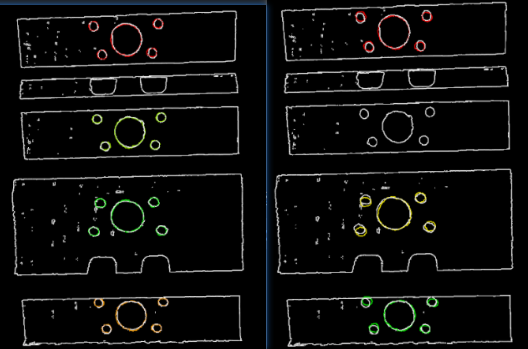
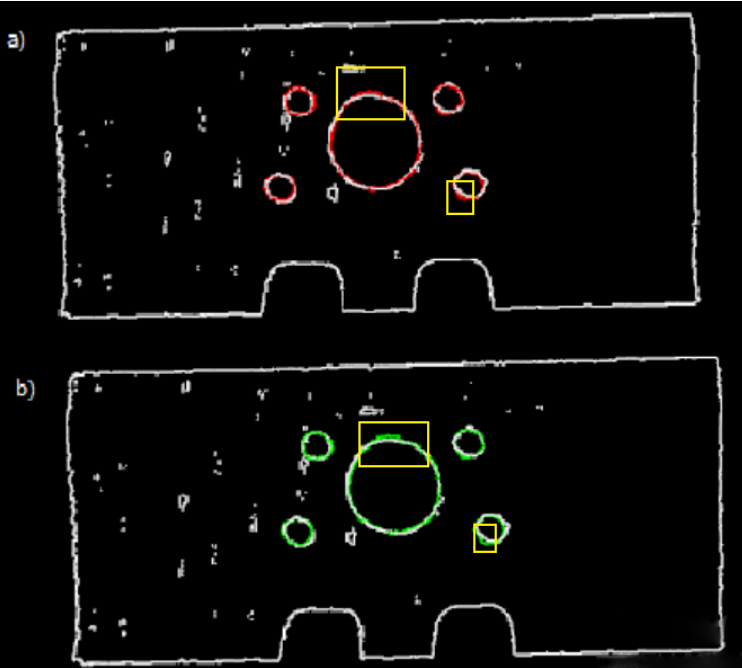
Default value: 0.500 Value range: [0, +∞) Instruction: The confidence threshold is used to determine whether the matching result is valid. Matching results with confidences higher than the threshold are valid and those lower are not. A higher threshold leads to fewer valid matches, while the output results are more accurate. A lower threshold leads to more valid matches, while the output results are less accurate. Example: In the figure below, the confidence threshold of (a) is 0.500, and that of (b) is 0.920. The match of (a) is more accurate than that of (b). It can be known that when the larger Confidence Threshold is, the more likely it is that results with higher matching accuracy are retained.
|
|
||
Search Radius for Validation |
Description: When the distance between the scene point cloud and the point cloud model is less than this value, it is considered that the scene point cloud and point cloud model coincide. The more points that coincide, the higher the validation score for the matching result. Default value: 10.000 mm Instruction: The value of this parameter will affect the matching score. The higher the value of this parameter, the looser the criterion for evaluating the matching result will be, which means that even if the pose matching result is of poor quality, the matching score will be high; the smaller the value of this parameter, the more strict the criterion for evaluating the pose matching result will be. Please set the value according to the actual situation of the point cloud. If the points in the point cloud are sparse, the parameter value should be set larger.
|
Output Settings
| Parameter | Description | Illustration |
|---|---|---|
Maximum Number of Detected Poses in Each Point Cloud |
Default value: 1
|
|
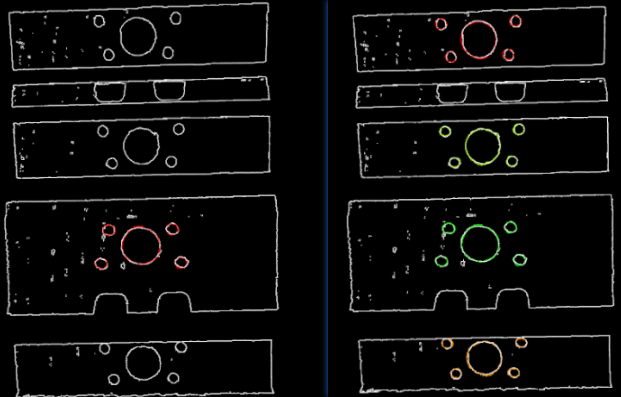
Advanced Parameter Tuning Level
This chapter only introduces the parameters that Basic Mode does not contain. If there are some parameters that are the same as that in the Basic Mode, please refer to Basic.
Symmetry Settings
When a part of the workpiece to be recognized is symmetrical, you will need to adjust the symmetry settings to escape a local optimum of the matching result.
An axis of the object center point as its origin will be specified as the rotation axis, and the point cloud model will rotate around the specified axis according to the symmetry angle and therefore the optimal matching result can be obtained.
| Parameter | Description |
|---|---|
Symmetry Axis |
Default value: ROTATE_BY_Z
|
Angle Step |
Default value: 360°
|
Min Rotation Angle |
Default value: −180°
|
Max Rotation Angle |
Default value: 180°
|
Example
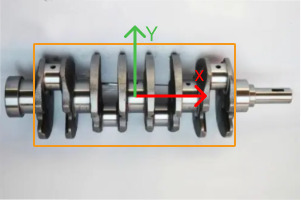
As shown in the figure below, the main part of the crankshaft, i.e., the part in the frame, has 180° rotational symmetry along the Y-axis.
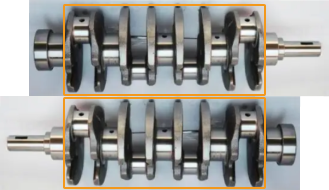
If you do not adjust the symmetry settings, there can be mismatches since the shapes of parts of the point cloud model and the crankshaft are similar, as shown below.
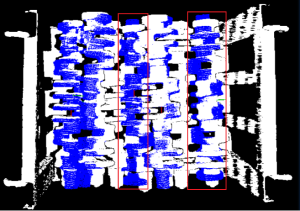
Only the middle part of the point cloud model and the crankshaft match with each other. However, if the point cloud model rotates 180°, it will match with the entire crankshaft, and the corresponding matching confidence will be higher.
After ROTATE_BY_Y (the Y-axis of the object center point) is set as the Symmetry Axis, and the Angle Step is set to 180°, the crankshaft match with each other correctly, as shown below.
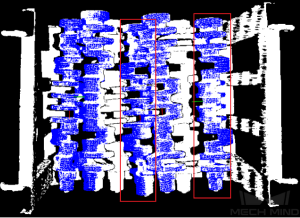
Pose Filtering Settings
| Parameter | Description |
|---|---|
Filter Pose by Model Rotation Angle |
Instruction: In the Edge Matching mode, the point cloud model may need to be rotated by a certain angle to match with the scene point cloud, and the posed will be filtered by the point cloud model’s rotation angle. When the model’s rotation angle exceeds the Angle Difference Upper Threshold, the pose will be filtered out.
|
Angle Difference Upper Threshold |
Instruction: See the tooltip of Filter Pose by Model Rotation Angle.
|
Model Weight in Validation
When the workpieces to be recognized have the similar main body, while their specific parts differ greatly, the weight of the “parts” should be higher to output a correctly matched result.
| Parameter | Description |
|---|---|
File of Model Fragments with High Weight |
Instruction: This file (PLY format) is a fragment of Model File. Based on the actual workpiece, determine which part is selected as the high weight file. The points in this file have a high weight set by the Weight of Each Point. |
Weight of Each Point |
Default value: 2.0000
|
Search Radius When Set Weight |
Default value: 3.000 mm
|
Validation Settings
| Parameter | Description |
|---|---|
Consider Error of Normal Angles |
Description: When validating the matching results, consider the angle error between the normals of the points in the scene point cloud and their counterparts in the point cloud model. Once this parameter is selected, the number of output matching results will be fewer, but the accuracy of the matching results will be enhanced.
|
Multiply Corresponding Points Ratio in Scene |
Default value: Unselected.
|
Result Visualization
| Parameter | Description |
|---|---|
Show Sampled Model Cloud |
Default value: Unselected.
|
Show Sampled Scene Cloud |
Default value: Unselected.
|
Show Validation Point Correspondences |
Default value: Unselected.
|