AI Classification (Multi-Class) Tool
Introduction
The "AI Classification (Multi-Class) Tool" is a deep learning-based visual classification tool that supports custom training for up to 8 different classes. By completing the wizard-style configuration process, users can quickly implement the full workflow from image acquisition to model inference. This tool is typically used in scenarios such as multi-specification mixed-flow identification or visual defect grading for a single type of target object.

-
Acquire images: Acquire image data for training. It is recommended to cover typical conditions in the actual production environment to ensure image quality and diversity and improve the model’s judgment accuracy.
-
Set ROI: Set the ROI on the acquired images, accurately selecting the target area to prepare for subsequent labeling and training.
-
Label images: Assign a corresponding class label to each ROI, supporting up to 8 classes. It is recommended to label diverse images for each class to ensure comprehensive training content features.
-
Train and validate model: Use the labeled images for model training. After training is completed, validate the model performance and observe whether the judgment results meet expectations. If the classification results are inaccurate, you can add more images and retrain until the model performance meets actual requirements.
Usage Workflow
After entering the tool, click New in the upper-right corner of the model list on the left to create and enter a new model configuration process.
Acquire Images
Acquire image data for training the model.
-
Confirm that the input port of the current Step is connected to image data.
-
When entering the tool, the camera will automatically acquire one image for model training. You can click the Acquire images button to acquire new image data for model training.
|
When acquiring images, it is recommended to cover typical variations at the production site, including:
Diverse images help the model adapt to the actual environment and improve judgment accuracy. |
Set ROI
After acquiring images, you need to set the ROI for subsequent labeling and training.
|
When the "Object Pose" port has input, the ROI will transform in sync with the target pose. The ROI set here is the reference position, and during actual recognition, it will dynamically shift based on the alignment parameters. |
-
Click the Edit button to enter the ROI setting interface.
-
Set the ROI. Two methods are available:
Setting method Description Set all as ROI
The ROI automatically covers the entire image. Suitable for scenarios where the target object fills the image. To exclude certain areas, you can set mask regions in the next step.
Custom ROI
Select the "Rectangle" or "Circle" selection tool to drag and draw the ROI in the visualization area. Only a single ROI can be set here. Please accurately select the target area based on the actual position and shape of the target object, avoiding irrelevant backgrounds.
When selecting the target area, you can select only the area containing key features.
-
Set mask region (optional).
When there are irrelevant interferences such as reflections, shadows, or fixed backgrounds within the target area, you can set mask regions to exclude them, avoiding impact on model training and classification judgment results.
Click the Set mask region button, and use the "Polygon" selection tool to draw the mask region in the visualization area: click the left mouse button to add polygon vertices, and double-click the right mouse button to close the polygon and complete the selection.
-
After the setting is completed, click Save and apply to apply the ROI settings.
|
When the masks of the target area and mask region completely overlap, only the topmost layer supports editing.
|
Label Images
After acquiring images and setting the ROI, you need to label the images so that the model can learn the features of different classes.
-
Click the Edit button to enter the image labeling process.
-
According to actual requirements, create multiple classes in the label class list (up to 8 supported), and name each class for differentiation.
-
In the visualization area, select the target ROI, and in the label class options on the right, click the Label images button for the corresponding class to complete labeling of a single target.
-
Click the Acquire images button to acquire new images, and repeat the above labeling steps until at least one image is labeled for each class.
-
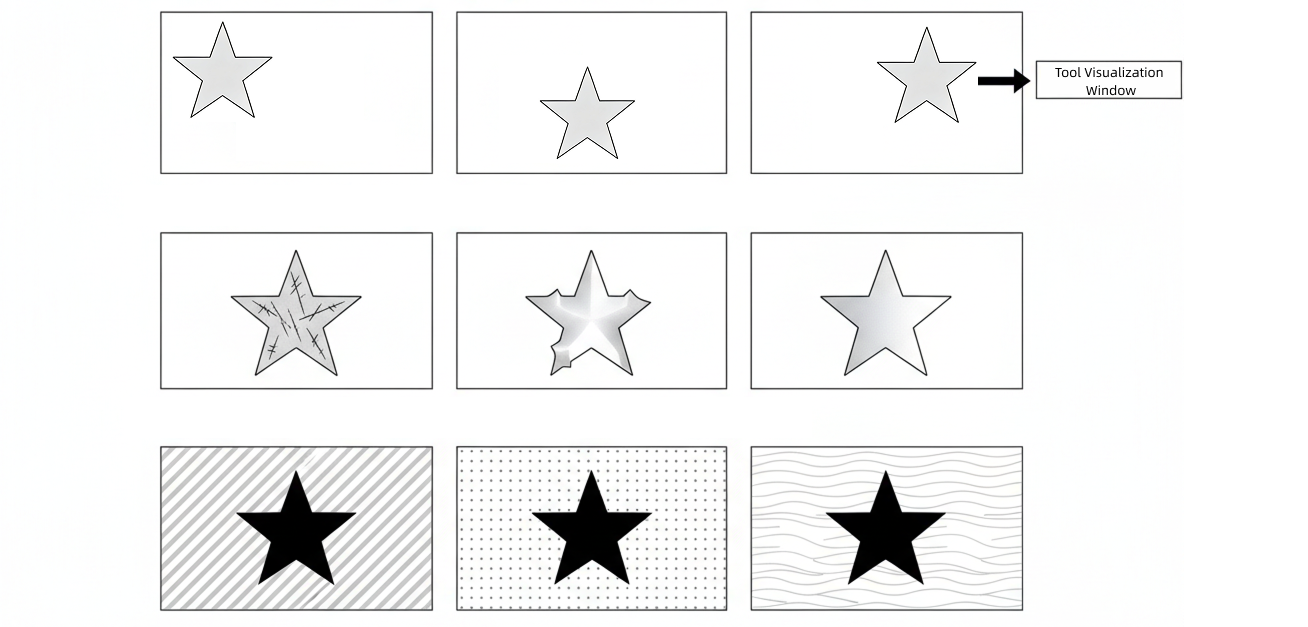
When labeling, it is recommended to label as many images as possible for each class covering different shooting conditions (such as position offset, stains, scratches, deformation, color tone, or background differences). The more thorough the labeling, the stronger the model’s adaptability.
-
Avoid labeling images with ambiguous classes to prevent affecting the model’s learning performance.
-
If there is uncertainty in lighting or target object angles in the actual production scenario, you can enable the “Adapt to brightness changes” or “Adapt to rotation changes” options in Advanced settings. The system will automatically apply slight rotation and brightness adjustments to the labeled images to generate more virtual images under different conditions for model training, thereby helping to expand training content and improve the model’s generalization ability.
-
-
After labeling is completed, click Save and apply to save the labeling results.
Train and Validate Model
-
Train the model.
After labeling is completed, click the Train button to start model training, and wait for the training completed prompt.
-
Validate the model performance.
Click the Validate button to enter the validation interface. You can view or set the following parameters in this interface, and observe whether the model’s recognition results meet expectations.
Parameter Description Validation result
Parameter description: Displays the classification judgment result. The result is displayed as a custom class or unknown class based on the recognition result.
Confidence
Parameter description: Displays the model’s confidence for the current classification result. The higher the value, the more confident the model is that the image belongs to the judged class.
Time
Parameter description: Displays the single inference time (unit: ms).
Confidence threshold
Parameter description: The minimum confidence standard for the model to judge a class. Classification results below this value will be judged as unknown class.
Default value: 0.5
Tuning instructions: It is recommended to use the default value.Heatmap
Parameter description: When enabled, a visual heatmap of the model’s attention areas is overlaid on the image. The deeper (or warmer) the color, the higher the model’s attention to the features in that area.
Default value: Off.
Tuning instructions: Typically, the heatmap should be concentrated on feature positions within the target area, such as edges, defects, or textures. It can be used to help judge the model’s focus areas.
If the heatmap distribution is too scattered or concentrated on irrelevant areas, it may indicate that the model has not correctly learned effective features. In this case, it is recommended to go back to the previous steps to supplement more diverse training images and retrain the model.
-
Additional training (optional).
If the judgment results do not meet expectations, you can use the "Additional training" function to supplement images that were incorrectly recognized or not covered during validation.
-
Click Additional training to enter the image labeling process.
-
In the visualization area, select incorrectly judged images or re-acquire images for labeling.
-
After labeling is completed, click Save and apply, and the system will re-execute training and validation based on the new labeling data.
-
You can repeat the "Train → Validate → Additional training" cycle until the model performance meets expectations.
Additional training is incremental training that optimizes on the existing model basis without starting from scratch.
If the performance does not improve after additional training, it is recommended to check the labeling accuracy, or return to the acquisition stage to supplement more typical images.
-
-
Save and apply the model.
After validation is passed, click the Save and apply button to save the model configuration.
At this point, the model configuration is completed. After closing the tool window, select the model from the "Model Name" parameter drop-down list to use it for classification judgment in subsequent inference Steps.