Calc Poses and Dimensions from Planar Point Clouds
Function
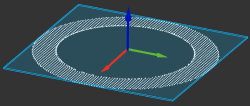
This Step calculates the poses of planar point clouds and the dimensions of the point cloud bounding boxes.
Usage Scenario
This Step is usually used to calculate pick points and dimensions of planar point clouds of objects such as cartons and sacks.
|
Before using this Step, please filter and cluster the point cloud to reduce the interference from unwanted points. |
Input and Output
Parameter Description
Pose Calculation Settings
|
The selected Method to Calc Pose Center should correspond with the Method to Calc Pose Orientation.
|
| Parameter | Description | ||
|---|---|---|---|
Method to Calc Pose Center |
Description: This parameter specifies the center where the pose position is located. Value list:
Tuning recommendation: Please set the parameter according to the actual requirement. |
||
Method to Calc Pose Orientation |
Description: This parameter specifies the orientation of the pose. Value list:
Tuning recommendation: Please set the parameter according to the actual requirement. |
||
Use Best Aligned Rect |
Description: This parameter determines whether to use a bounding rectangle whose edges are as parallel as possible to the edges of the object. If this option is NOT selected, a minimum bounding rectangle will be used.
|
||
Align Search Radius |
Description: This parameter determines whether the bounding rectangle aligns with the feature points of the object. The unit is pixels. When the distance between the feature point and the bounding rectangle is less than the value, the feature points are considered aligned with the bounding rectangle. Default value: 3 px
|
Box Pose Calculation Settings
|
This parameter group is applicable to cartons only. |
| Parameter | Description | ||
|---|---|---|---|
Calc Boxes’ Height |
Description: This parameter is used to calculate the carton’s height in the Z direction.
|
||
Fixed Height for Box Bottom |
Description: This parameter specifies the height of the carton base, such as conveyor belt and pallet on which the carton is placed, for facilitating the calculation of the carton’s height in the Z direction. Default value: 0.000 mm Tuning recommendation: Please set the parameter according to the actual requirement.
|