Measure Target Object
The target object editor provides a measurement function. By clicking "Enable/disable the measurement feature"  in the top-right corner of the “Edit model” workflow’s visualization area, the measurement-related buttons will expand, facilitating the measurement of the target object.
|
During the measurement process, if you wish to retain all measurement results in the visualization area, you can enable "keep all measurement results" |

|
After obtaining the measurement result for the current target object in the visualization area, the result will remain visible in the visualization area even after clicking the Back/Next button or switching to another target object. |
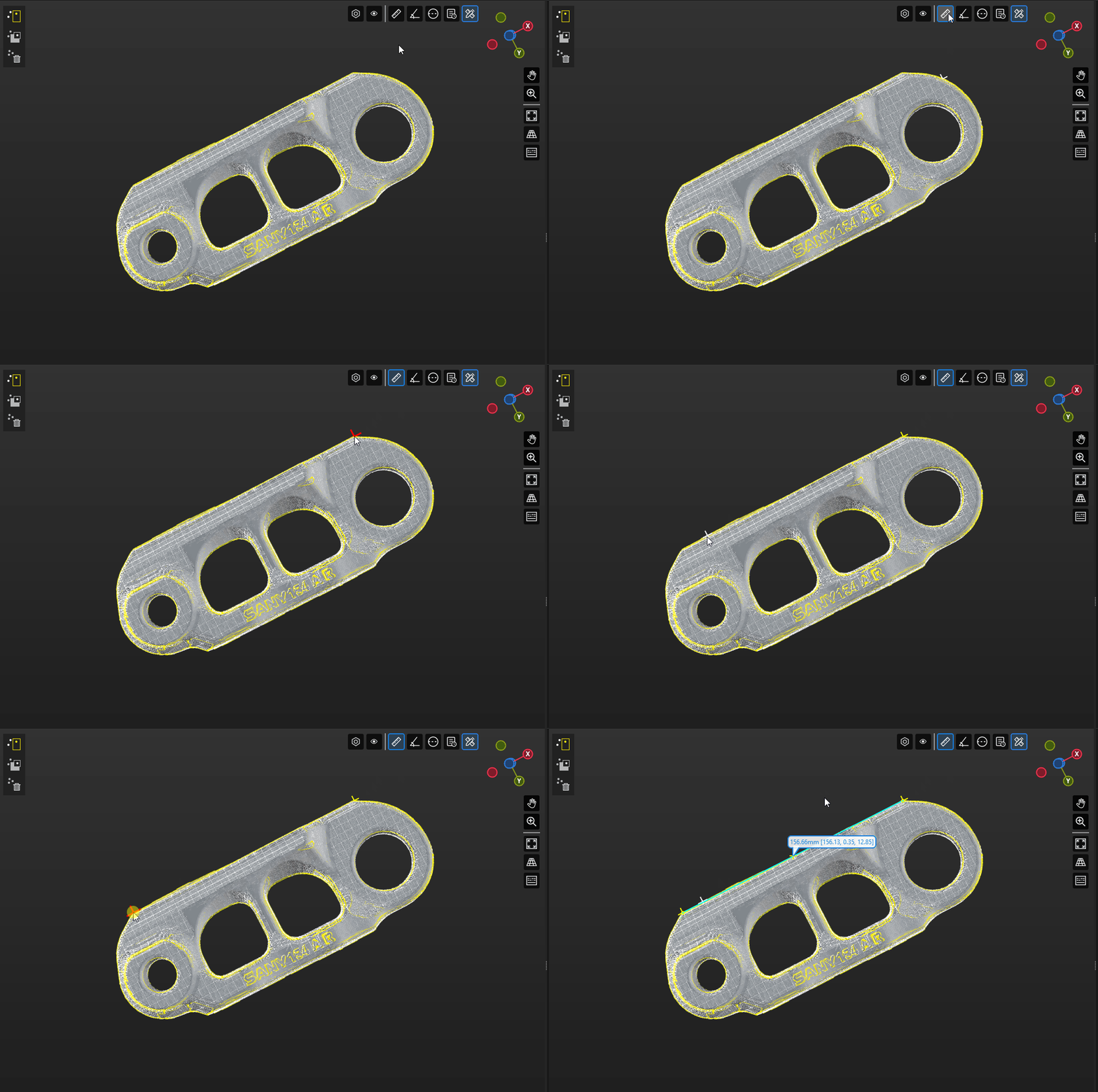
Measure the Line Distance Between Two Points
Click "Measure the line distance between two points"  . Then press Shift and select two points on the target object by clicking the left mouse button to measure the straight-line distance between them.
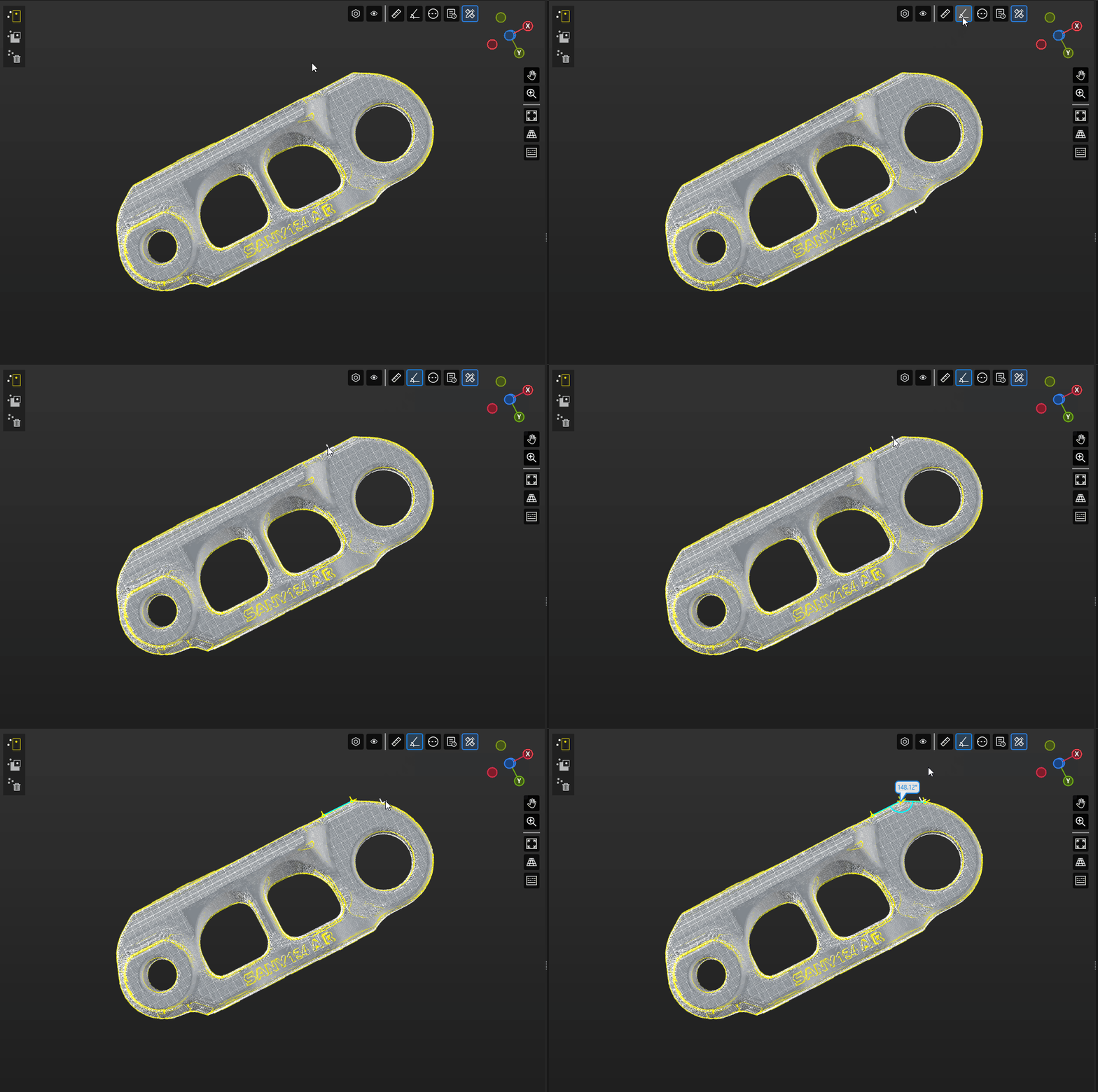
Measure the Angle Between Two Edges
Click "Measure the angle between two edges"  . Then press Shift and select three points on the target object by clicking the left mouse button to measure the angle between two edges.
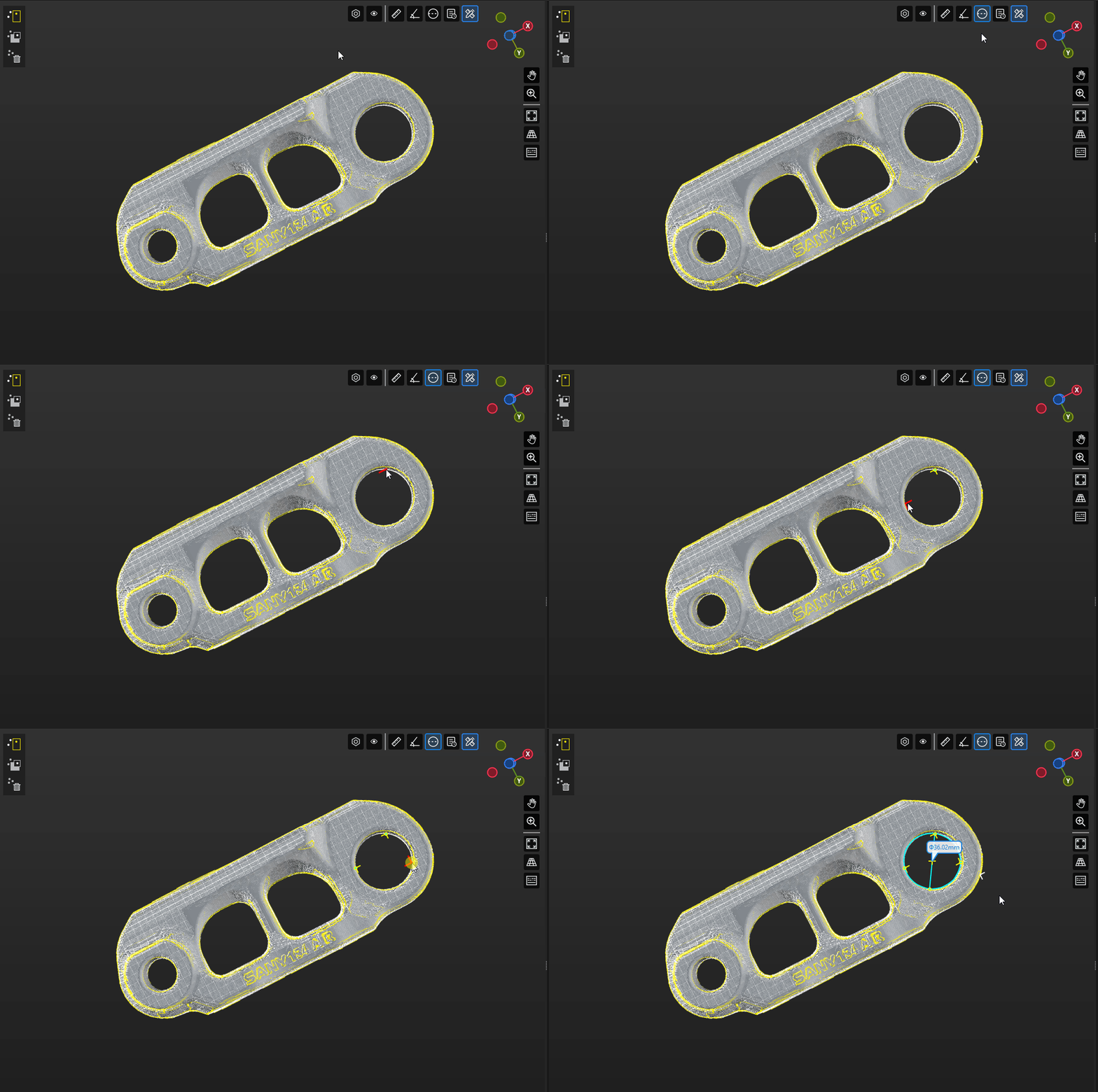
Measure the Diameter of a Circle
Click "Measure the diameter of a circle"  . Then press Shift and select three points on the circle by clicking the left mouse button to measure its diameter.