Transform Point Clouds
Function
This Step can transform point clouds from one reference frame to another, or transform within its own reference frame according to the reference pose.
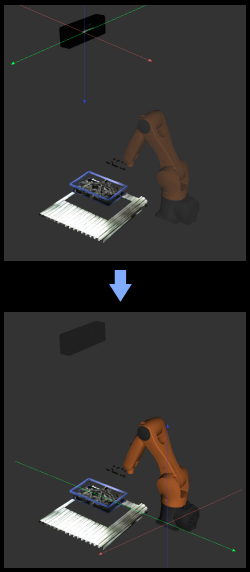
Usage Scenario
This Step is usually used to transform point clouds between camera reference frame and robot reference frame.
If you are using a truss robot, please use the Transform Point Clouds for Truss Step.
Input and Output
Input
| Input port | Data type | Description |
|---|---|---|
Original Point Clouds |
PointCloud/XYZNormal[] |
Point clouds to transform. |
Reference Pose |
Pose[] - |
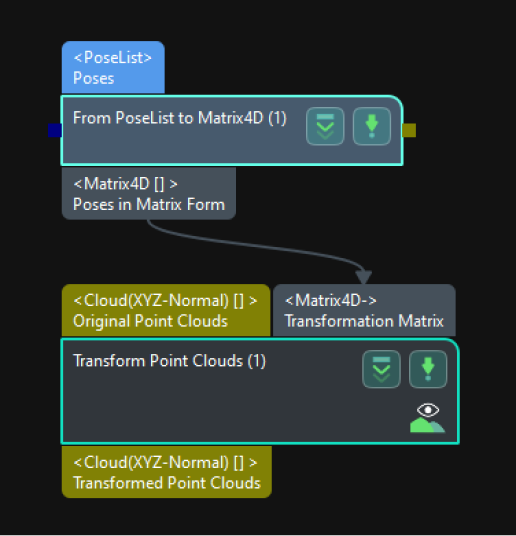
Reference poses (optional, input when the parameter "Transformation Type" is set to "AllWithFirst", "FirstWithAll", or "UseCorrespondenceInput", under which a point cloud will be transformed to the reference frame of the corresponding reference pose). |
Transformation Matrix |
Matrix4D[] - |
Affine matrix (optional, input when the parameter "Transformation Type" is set to "AffineTransform", under which the point cloud will be transformed based on the affine matrix). |
Parameters
Transformation Settings
| Parameter | Description |
|---|---|
Transformation Type |
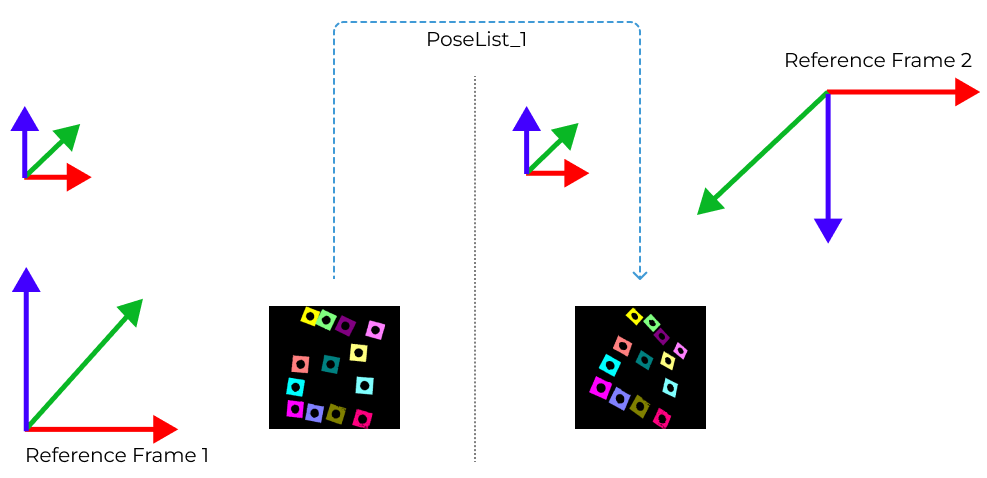
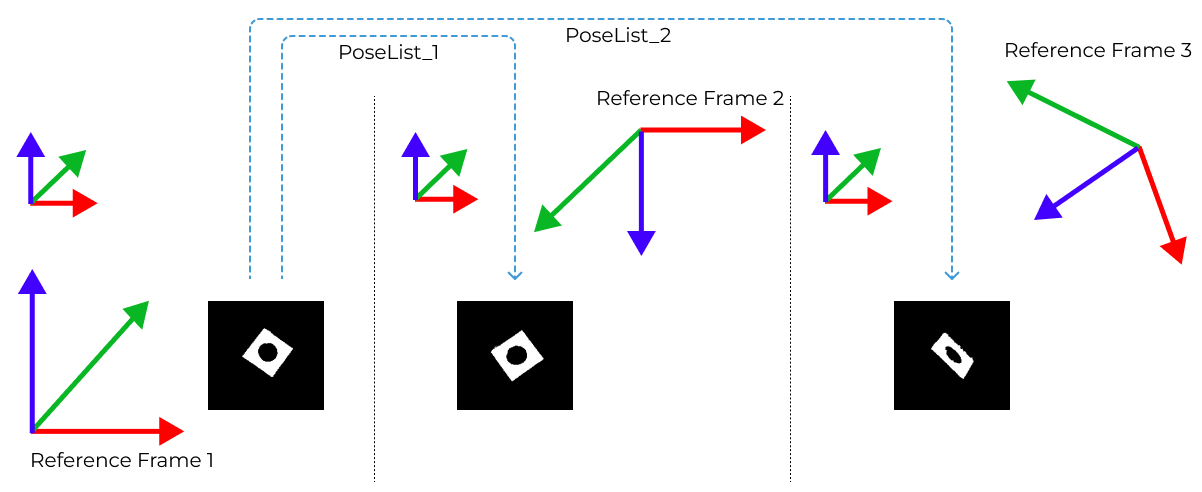
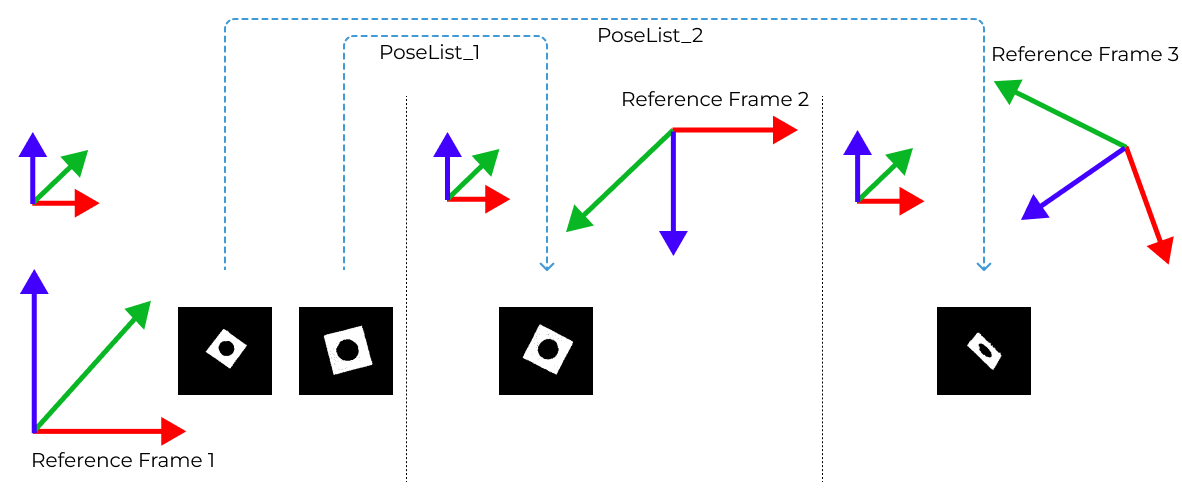
Parameter description: This parameter is used to select the type of point cloud transformation. Default setting: CameraToRobot. Options: CameraToRobot, RobotToCamera, AllWithFirst, FirstWithAll, UseCorrespondenceInput, and AffineTransform. Instructions:
|
Examples
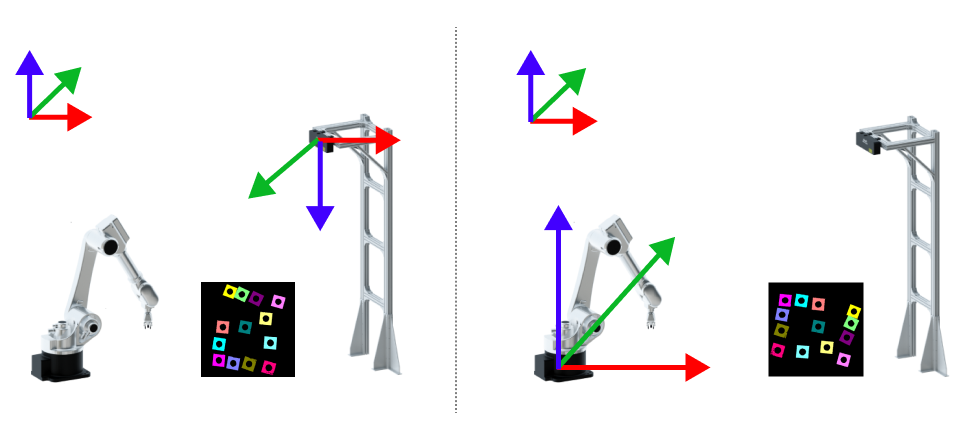
CameraToRobot
The following figure shows the results before (left) and after (right) point cloud transformation of CameraToRobot.
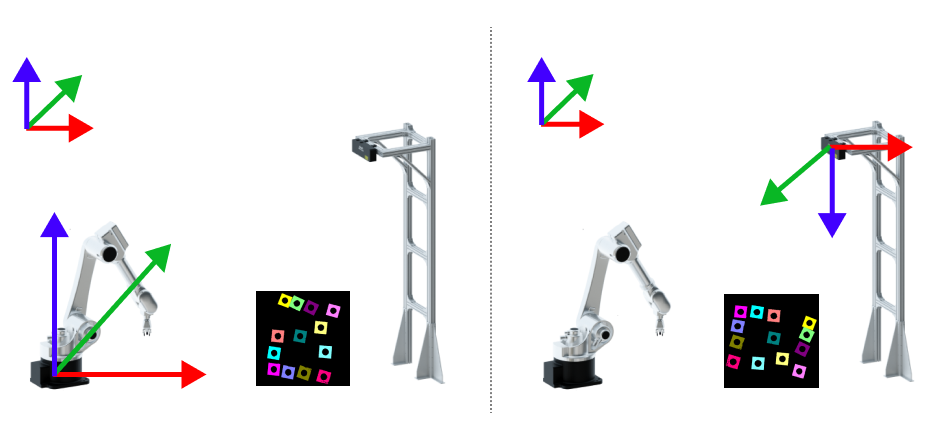
RobotToCamera
The following figure shows the results before (left) and after (right) point cloud transformation of RobotToCamera.
AllWithFirst
The following figure shows the results before (left) and after (right) point cloud transformation of AllWithFirst.