Target Object Editor (Target Objects for Trajectory)
Function
The target object editor is a standardized target object management module provided by Mech-Vision. It supports completing target object configurations for different application scenarios quickly through guided workflows. Currently, three target object types for picking, trajectory and bin positioning of configuration workflows are available, helping users efficiently complete target object configuration and management in application scenarios such as object picking, trajectory planning, and bin recognition. Users need to use the target object editor when creating new target objects, adjusting target object parameters, or switching between different target object configurations. The main functions of the production interface are described below:
| No. | Main Function | Description |
|---|---|---|
1 |
Configuration workflows with clear and detailed instructions |
Multiple guided configuration workflows are provided in the target object editor. You can follow the guidance and select the appropriate workflow to complete the target object configuration. |
2 |
Real-time visualization of the configuration result |
The target object editor provides a visualization area where you can preview the target object configuration results in real time or make certain configurations directly within the area, such as adjusting object center points. |
3 |
More integrated target object configurations |
The target object editor consolidates various target object settings, such as model editing, object center point settings, pick point settings, and symmetry settings, etc. You can complete all the above tasks in this tool in one place. |
|
Target objects configured with software version 2.2.0 cannot be used with software versions earlier than 2.2.0. |
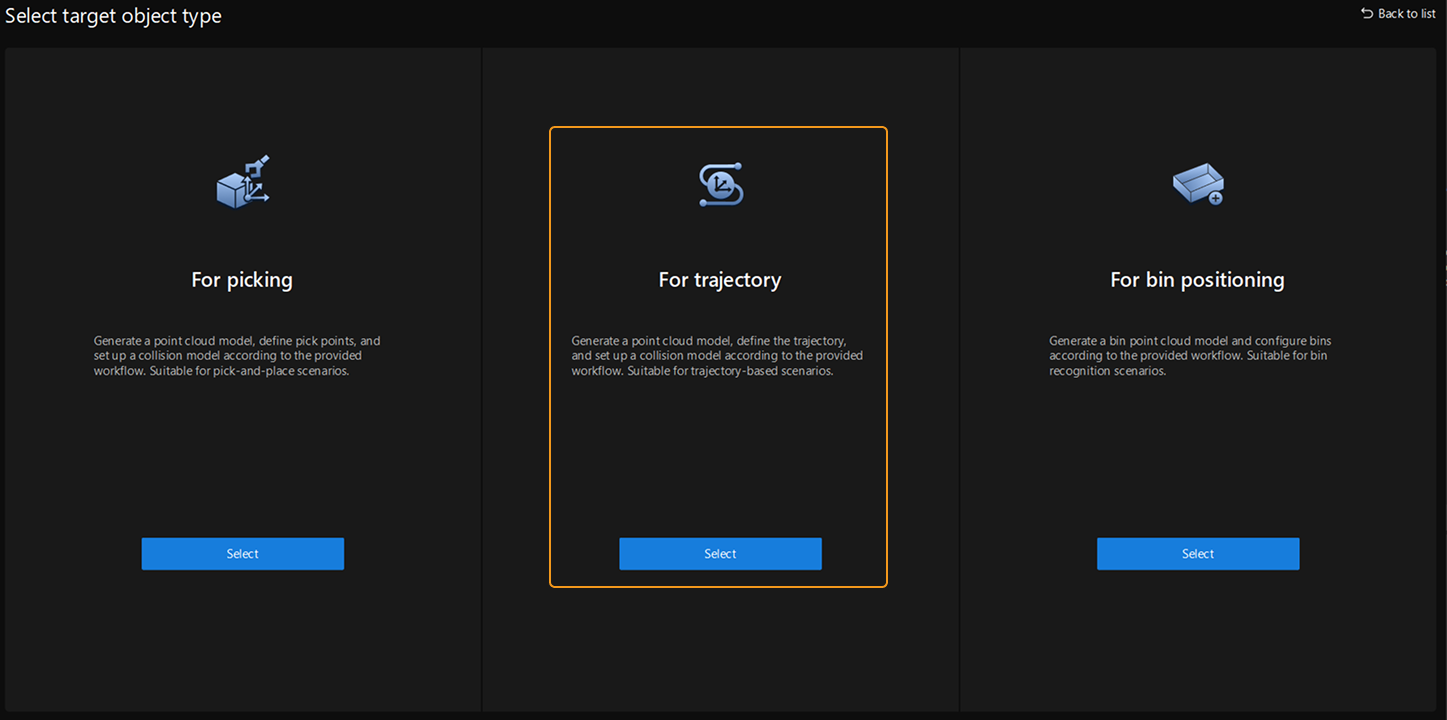
This section introduces the configuration workflow for target objects for trajectory. You can click the Target Object Editor button in the toolbar, select target objects For trajectory on the Target Object Editor home page, and then Select Configuration Workflow for Target Objects based on actual needs.
Reading Guide
Read the following sections to learn how to select a configuration workflow for the target object.
Read the following section to learn how to configure target objects with the target object editor.
Read the following section to learn other operations in the target object editor.
Read the following section for additional references related to the target object editor.