Detect and Measure Oblong Hole
Function
This Step is used to detect and measure oblong holes in the input image.
|
Before using this Step, enable the step_measure2d option under in the menu bar. Only then can the operation be performed. |
Usage Scenario
This Step is used to detect the pixel-wise positions and sizes of oblong holes in images to facilitate subsequent calculation of physical dimensions in measurement scenarios.
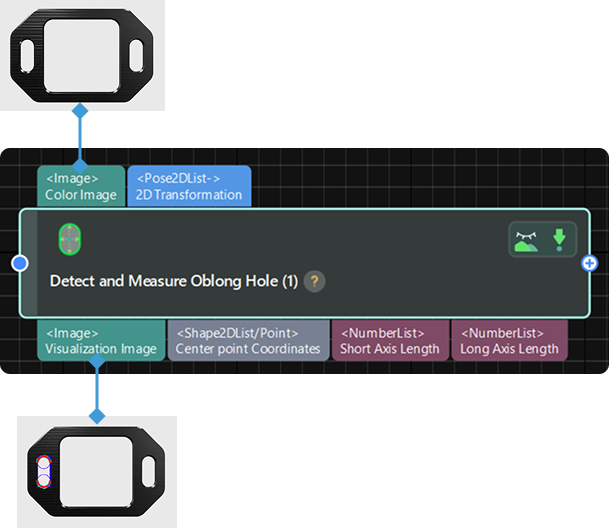
Parameter Description
| Parameter | Description |
|---|---|
ROI |
Description: This parameter is used to specify the region of interest (ROI), which limits the detection and measurement range of an oblong hole. Instruction: The procedure for using this Step is as follows.
|
Position and Orientation Correction |
Description: This parameter is used to adjust the position and orientation of the ROI according to the input 2D transformation.
|
Canny Edge Detection Low Threshold |
Description: This parameter is used to set a low threshold for the Canny edge detection algorithm.
|
Canny Edge Detection High Threshold |
Description: This parameter is used to set a high threshold for the Canny edge detection algorithm.
|
Sigma of Gaussian Filter |
Description: This parameter is used to filter the image vertically within the edge detection frames.
|
Edge Transition Type |
Description: This parameter is used to specify which type of grayscale change will be considered as object edge points. The grayscale change is defined as the grayscale change vertically from top to bottom in an edge detection frame. Value list: White To Black, Black To White, Both
Default value: Both |
Edge Selection |
Description: This parameter is used to select edge points detected within the edge detection frame for fitting the complete edge. Value list: First, Second, Last, All
Default value: First |