Create Project
This section introduces how to create a Mech-Metrics project.
After you install Mech-Metrics, you can follow these steps to create a Mech-Metrics project:
-
Open the installed Mech-Metrics software.
-
On the Welcome screen, click New Project.
-
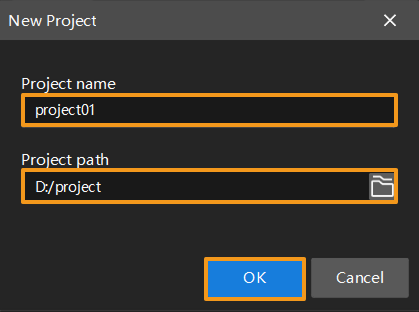
In the New Project dialog box, enter the Project name and select the Project path.
-
The Production interface of the software will appear. In the upper-right corner of the software, click Configuration to go to the configuration interface.