Test Semi-Dynamic Repeatability
This section introduces how to test semi-dynamic repeatability.
|
Factors Affecting Semi-Dynamic Repeatability
Factors affecting semi-dynamic accuracy:
-
The robot accuracy is poor.
-
Unstable foundations lead to greater shaking.
-
Significant vibration sources exist around the device.
-
Fixture stability is poor.
Troubleshooting:
If the data quality is poor, you can use ImageJ software to help observe the positional changes of the same hole across multiple captures in the camera’s color images. Additionally, consider reducing the robot’s operating speed as needed.
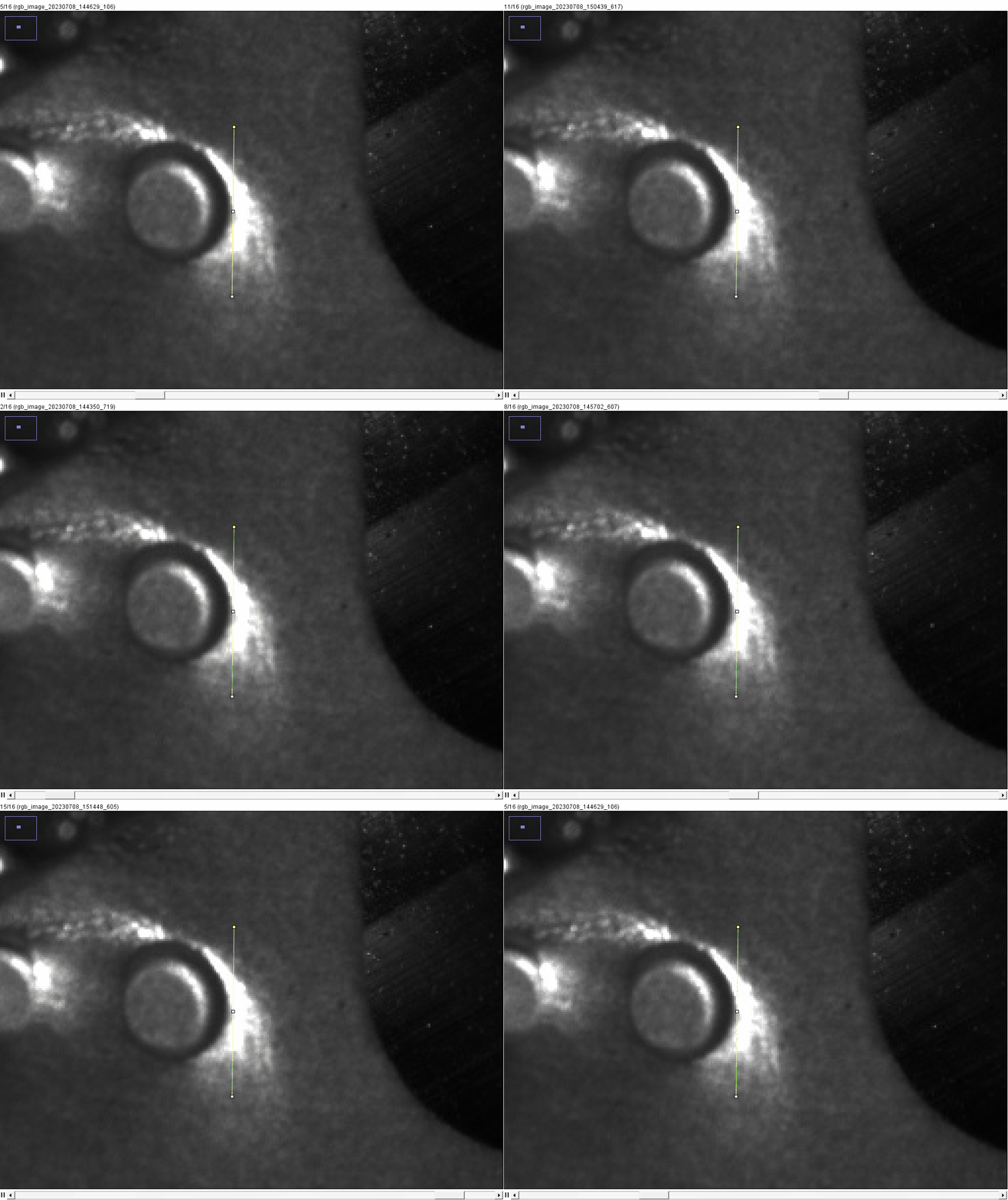
Test Semi-Dynamic Repeatability
Follow these steps to test semi-dynamic repeatability:
-
In the Configuration interface of Mech-Metrics, go to the Analysis and Compensation tab and click Dynamic Repeatability.
-
On the Dynamic Repeatability Testing page, select the Part to be tested as the currently clamped part, choose the Type as Semi-dynamic, select the Data source as Real-time data, set the Repeat times to 20, and then click Start testing.
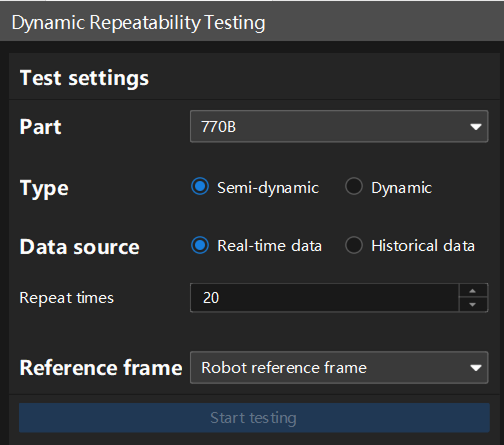
The recommended repeat times are between 20 and 50.
-
Run the robot program 20 times on the robot side.
-
After the testing is complete, view the test results on the right side of this page.
If an error occurs, follow the prompts provided by the software to troubleshoot.
In this software, the default semi-dynamic pass threshold is a repeatability range (R) ≤ 0.15mm. If the project has different pass threshold requirements, you can contact technical support for modifications.