Configure Part ID
This section describes how to configure a part ID.
|
Part IDs are identification codes used to distinguish different part types. Each part type corresponds to a unique part ID, which facilitates classification, management, and query in the system. You can configure a unique part ID for each part type according to the actual requirement. In the measurement commands (801 to 805) of the robot program, use this part ID to identify the part type. |
Follow these steps to configure the part ID:
-
In the Config interface, select the Communication tab, and then click the Configure Part ID button. The Configure Part ID dialog box will appear.
In the part list bar, right-click the part tab and then select Configure Part ID to open the Configure Part ID dialog box as well.
-
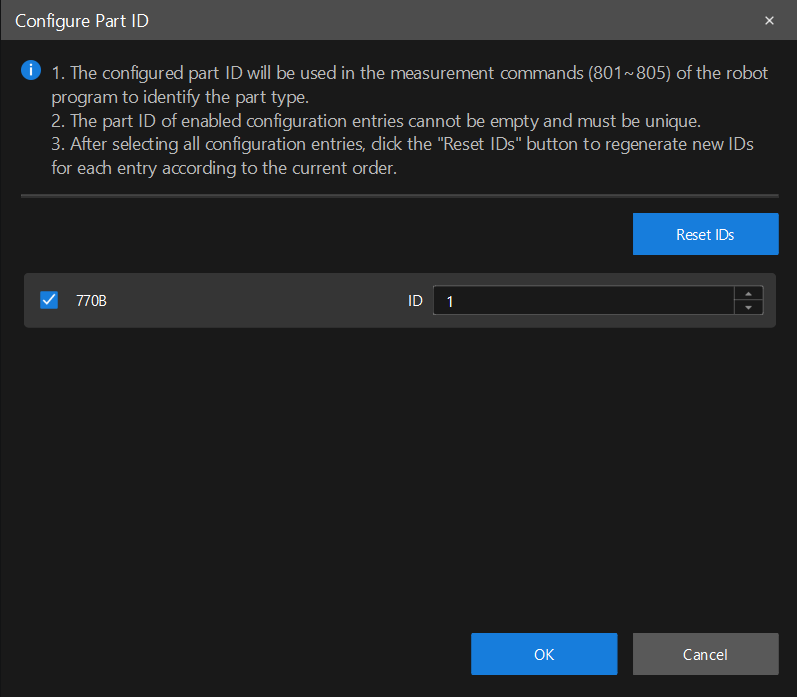
In the dialog box, select the part to enable and set an ID for each part.
-
The part ID of an enabled configuration item cannot be empty and must be unique.
-
To reset all part IDs, select all configuration items and click Reset IDs. Then the software will regenerate the IDs for each item according to the current order.
-
-
Click the OK button to save the settings.