Configure Filtering Rules
In the Validation tab, click Filtering Rule Settings to configure filtering rules for the model. The Text Recognition module can modify the text in the recognition results as needed.
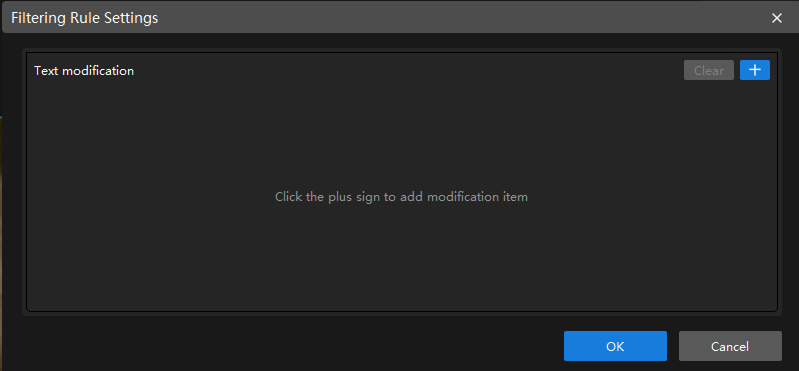
|
After the configuration takes effect, validation results change accordingly, and the related settings also take effect in the exported model. |
Text Modification
Text modification is used to perform custom modifications on the text in the recognition results. Multiple modification methods are supported to meet different text processing needs.
| Parameter | Description |
|---|---|
Character replace |
Replaces a specified single character or a type of characters (such as digits, symbols, letters) uniformly with a target character, or deletes them directly. You can configure it by following these steps:
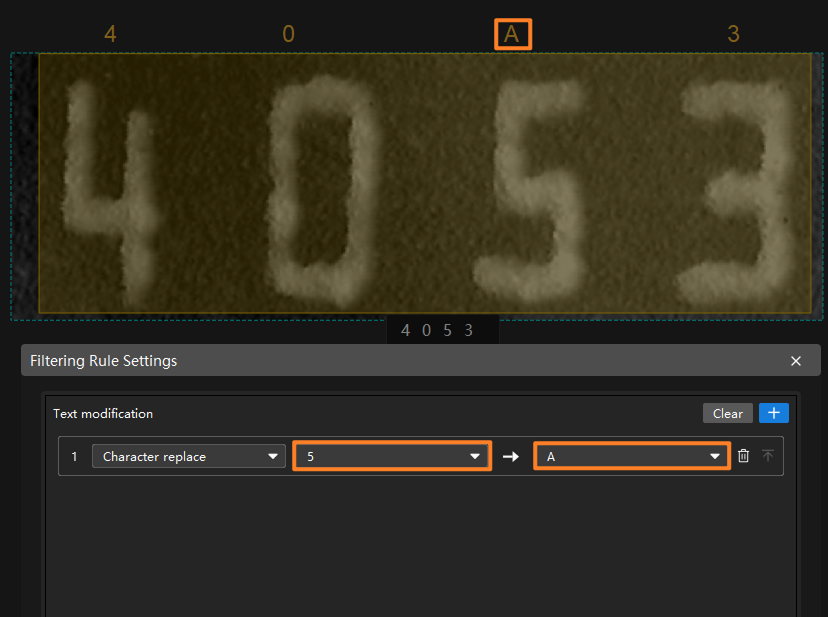
|
Fixed-position replace |
Replaces the character at a specified position in the text with a target character. You can configure it by the following steps:
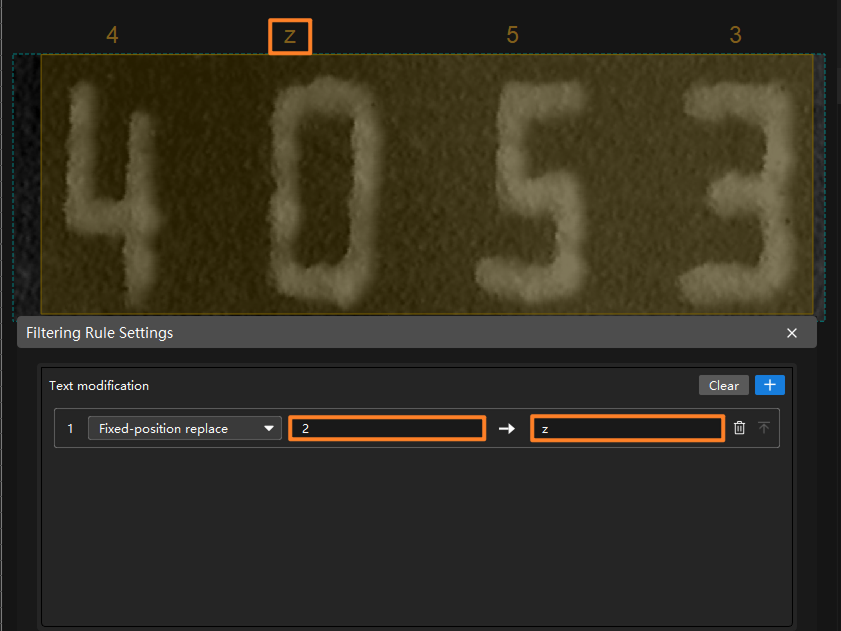
|
After completing the configuration, click OK to make the configuration take effect.