Deep Learning Model Package Inference
Description
Use this Step to perform inference with a single model or multi-model package exported by Mech-DLK and outputs the inference result.
It can perform model package inference in the following scenarios: classification, object detection, defect segmentation, instance Segmentation, fast positioning, text detection,text recognition, unsupervised segmentation and multi-model package.
|
|
Please make sure that you have a license for Mech-DLK. If you do not have a valid deep learning license, please contact sales for Pro-Run version, Pro-Train version or single model package. If you do have a deep learning license,verify that it is valid, matches the model package to be used, and is recognized by the current IPC.
|
Workflow
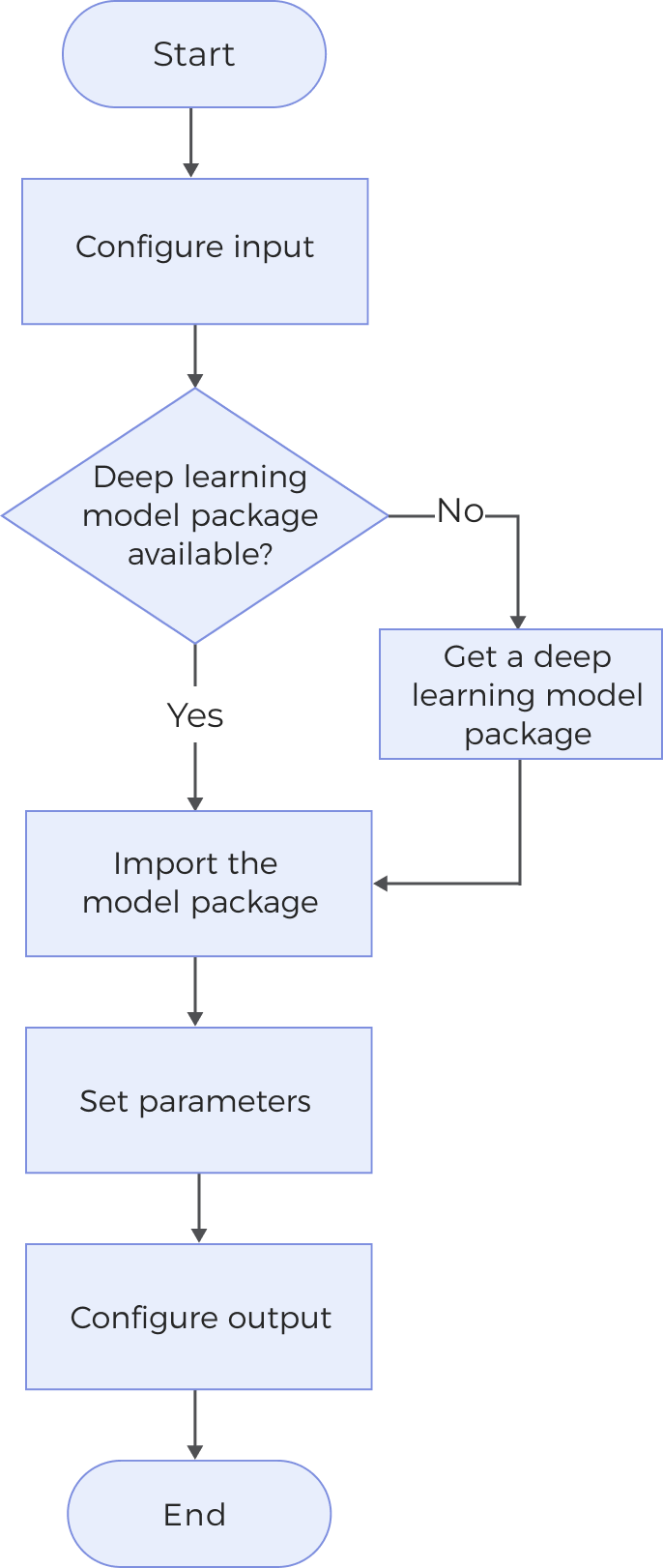
The process of configuring this Step is shown below:
-
Configure the input. Connect the ports manually in the graphical programming workspace or select the input under Input in the parameter configuration panel.
-
Ensure that you have prepared your deep learning model package; otherwise, the Step cannot be used.
-
Use the Deep Learning Model Package Management Tool to import the model package.
-
Set parameters.
-
Select the output items under the Output section.
Obtain a Deep Learning Model Package
You can use the following methods to obtain a deep learning model package:
-
Export deep learning model packages from the Mech-DLK software (2.6.1 or later versions).
-
Obtain deep learning model packages from Mech-Mind Download Center.
System Requirements
The following system requirements need to be met when using this Step.
-
CPU: Supports the AVX2 instruction set and meets any of the following conditions:
-
IPC or PC without any discrete graphics card: Intel i5-12400 or higher.
-
IPC or PC with a discrete graphics card: Intel i7-6700 or higher, with the graphics card not lower than GeForce GTX 1660.
IPCs with Intel CPUs are fully tested while IPCs with AMD CPUs are not yet tested. Therefore, Intel CPUs are recommended.
-
-
GPU: If a discrete graphics card is available, GeForce GTX 1660 or above should be used, with a graphics driver version of 526.98 or above. Otherwise, the deep learning model package may fail to be imported.
Model Package Type
You can click the links below to view the function description, input and output, and parameter description of each model package type.