Calibration Update
Calibration update is used to reacquire calibration data through external communication, calculate new calibration results, and update the specified translation calibration file or rotation calibration file.
Prerequisites
Before performing calibration update, confirm that the following conditions are met:
-
A solution is open, and the project and Step used to recognize calibration features can run properly.
-
The camera used for calibration is connected.
-
Communication Configuration and Calibration Communication have been completed.
-
The Translation/Rotation Calibration window is not open, and no other calibration process is in progress.
Configure Update Target
-
From the menu bar, select to open the Calibration Configuration window.
-
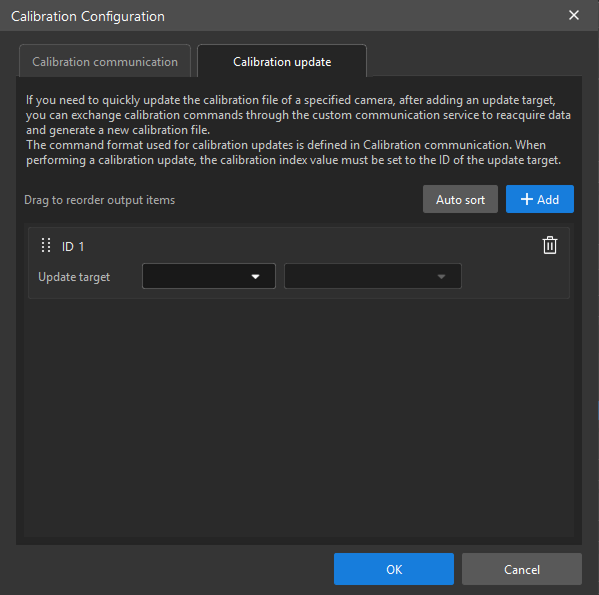
Go to the Calibration update tab, and click Add to add an Update target.
-
In the added Update target, select the camera ID and calibration file that need to be updated.
-
Confirm that the camera, calibration file, and calibration type corresponding to the update target are correct.
|
When sending a calibration update command, the calibration index in the command must be the same as the ID of the update target. |
Perform Calibration Update
-
Move the machine to the first acquisition position, and then send the Start command through the external device. The camera ID and calibration type in the command should be consistent with the update target configuration. The software acquires the first calibration point according to the X, Y, and RZ values in the command.
-
Move the machine to the other acquisition positions in sequence, and send the Continue command at each position. The software acquires calibration points according to the X, Y, and RZ values in the command.
-
Move the machine to the last acquisition position, and then send the End command. The software acquires the last calibration point according to the X, Y, and RZ values in the command, calculates the calibration result, and updates the corresponding calibration file.
-
Confirm the calibration update result.
|
If the communication service is closed externally, calibration is paused. After communication is reconnected, calibration resumes automatically. If no communication command is received for an extended period, the current calibration times out. After a timeout, resend the Start command and reacquire the calibration data. |
This completes the calibration update process.