Python (Windows)
This topic introduces how to use the Python samples of Mech-DLK SDK on Windows. For sample descriptions, refer to Sample Usage Guide.
Installation Package Contents
The Mech-DLK SDK installation package contains Python samples in the following directories:
| Contents | Description |
|---|---|
python/dist |
Wheel installation package ( |
python/examples |
Python examples |
|
Prerequisites
To use the Python samples in Mech-DLK SDK, the following software must be installed:
Install Mech-DLK SDK
Obtain the latest version of Mech-DLK SDK from Installation Guide and complete installation.
Install Python Wheel Package
-
In the python/dist directory, right-click and select Open in Terminal. In the PowerShell window, run the following command to install the Python wheel package. Ensure the wheel file matches your local Python version; the command below uses Python 3.10 as an example:
pip install mmind_dl_sdk-3.0.0-cp310-cp310-win_amd64.whl --force-reinstall
-
Copy the
hasp_rt.exefile and all.dllfiles from cpp/bin to Lib\site-packages\mmind_dl_sdk in your Python installation directory.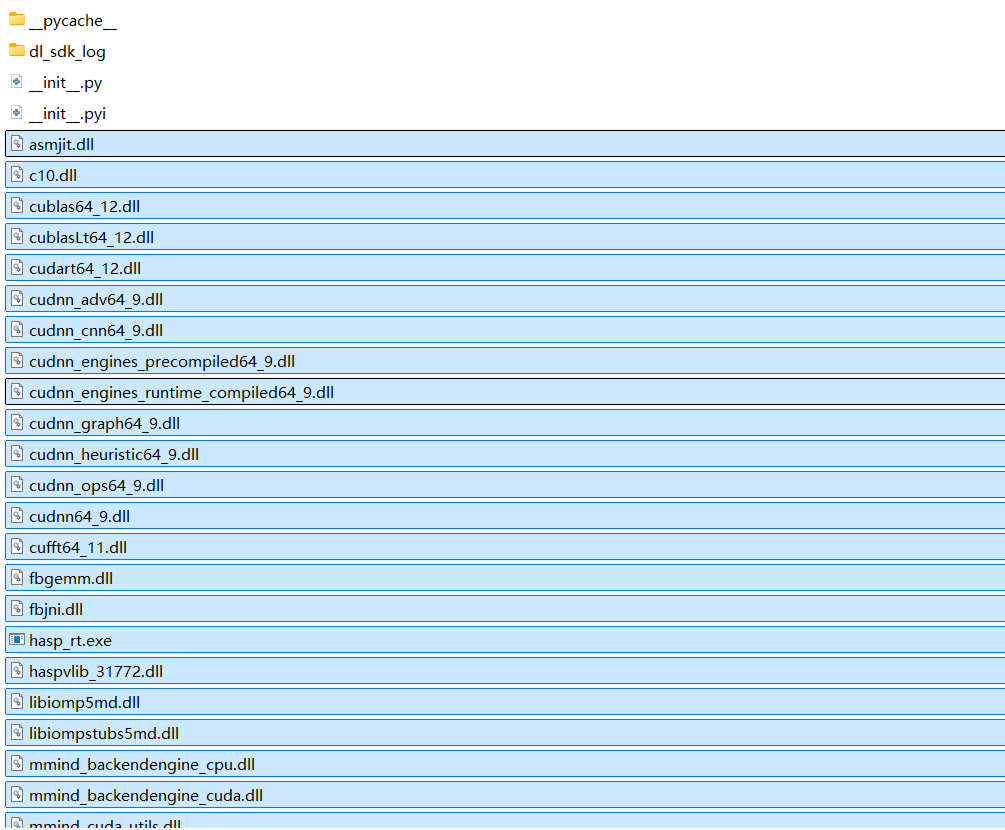
Install OpenCV (Optional)
To run the OpenCV samples, run the following command in a PowerShell terminal:
pip install opencv-python
Install HALCON (Optional)
To run the HALCON samples, first install the HALCON software. Then run the following command in a PowerShell terminal to install the matching Python package.
pip install "mvtec-halcon==20110.*"
The mvtec-halcon version must match your local HALCON software version. This example uses HALCON 20.11, which corresponds to version 20110.x.
|
Example Adjustment Instructions
Before running the Python samples, customize the input images, model packages, and related resource files to suit your needs. The following content provides examples of common adjustment items.
-
Input image: Replace the detection image or modify the image file path as needed.
-
Model package: The installation package includes a default defect segmentation model package. Replace it with your own model as needed.
-
Output: Adjust the output method of the detection result according to the project requirements, such as modifying the directory, file name, or output location of the result image.
-
Resource files: Add or replace images, model packages, and other resources in cpp/resources directory, or specify a custom directory as needed.
Run Samples
|
Before running the sample, point |
Basic Sample
-
In the python/examples directory, right-click and select Open in Terminal.
-
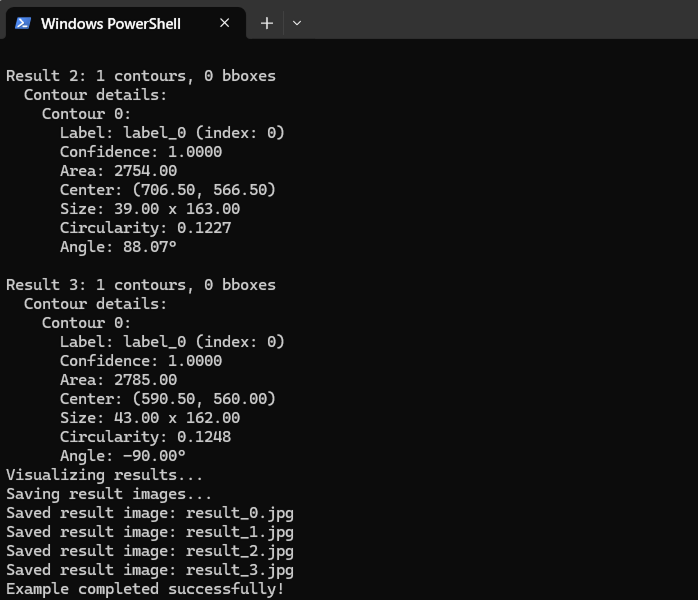
Run the following command in an opened PowerShell terminal:
python basic_infer.py --resource-path "xxx\cpp\resources"
Advanced Sample (Multi-Thread Inference)
-
In the python/examples directory, right-click and select Open in Terminal.
-
Run the following command in an opened PowerShell terminal:
python infer_with_multi_thread.py --resource-path "xxx\cpp\resources"
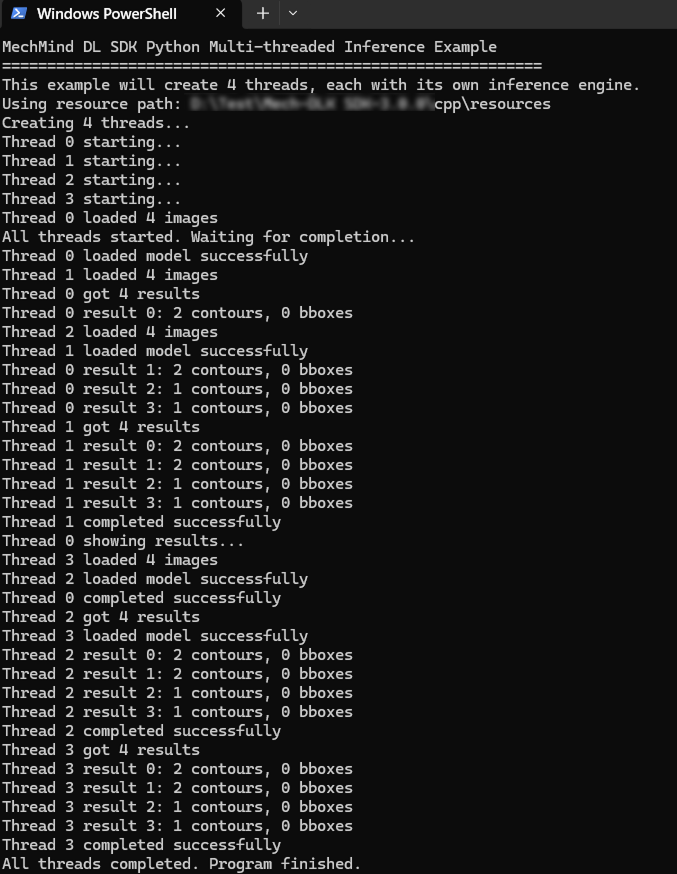
| By default, the multi-thread inference sample uses an inference engine that is independent of each thread. If multiple threads share the same inference engine, ensure the safety of concurrent use of multiple threads. |
Advanced Sample (OpenCV)
-
Before running OpenCV samples, complete dependency installation according to Install OpenCV.
-
In the python/examples directory, right-click and select Open in Terminal.
-
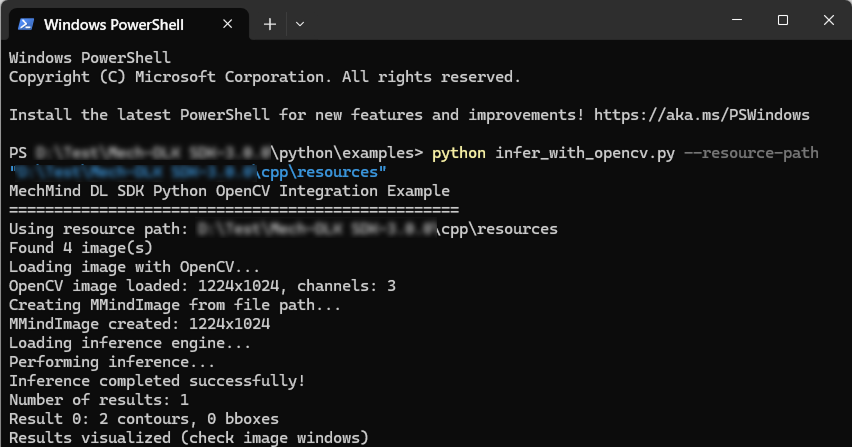
Run the following command in an opened PowerShell terminal:
python infer_with_opencv.py --resource-path "xxx\cpp\resources"
Advanced Sample (HALCON)
-
Before running the HALCON samples, complete dependency installation according to Install HALCON.
-
Copy the kernel
.dllfile (as shown below) of HALCON from bin/x64-win64 in the installation directory of HALCON and paste it to python/examples in the script directory of Python.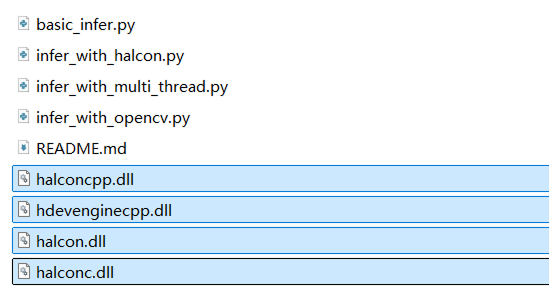
-
In the python/examples directory, right-click and select Open in Terminal.
-
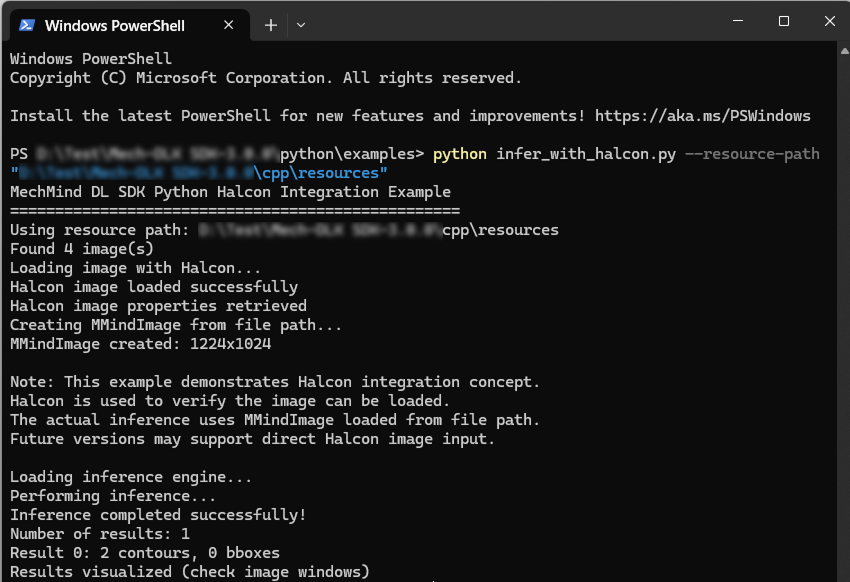
Run the following command in an opened PowerShell terminal:
python infer_with_halcon.py --resource-path "xxx\cpp\resources"
FAQs
Operation Issues
Missing .dll Errors
-
Problem: An error occurred when running the Python samples, indicating that SDK-related
.dllfiles were missing or loading failed. -
Solution: Refer to Install Python Wheel Package and copy the relevant files to the corresponding directory.
Missing Resources or Model Errors
-
Problem: The resource or model is missing.
-
Solution: Confirm that
--resource-pathpoints to a valid resource directory and that it contains the model and resource files needed to run the sample.
OpenCV or HALCON Dependency Errors
-
Problem: An error occurred when running the OpenCV or HALCON sample, indicating that a dependency was missing.
-
Solution: Confirm that the corresponding Python package has been installed as needed. For HALCON samples, please copy the core
.dllfile in the HALCON installation directory to the python/examples directory and then run it.