Windows Security Prevents Software from Opening
Symptom
When using Windows 11, the following issues may occur:
-
Double-clicking the Mech-MSR icon does not open the software. Windows Security displays the message: This app has been partially blocked.
-
Mech-MSR cannot be installed using the installer.
Possible Cause
After updating Windows Defender security patches, Windows may mistakenly identify Mech-MSR as an unsafe application and prevent it from opening. This issue is unrelated to the software version.
Solution
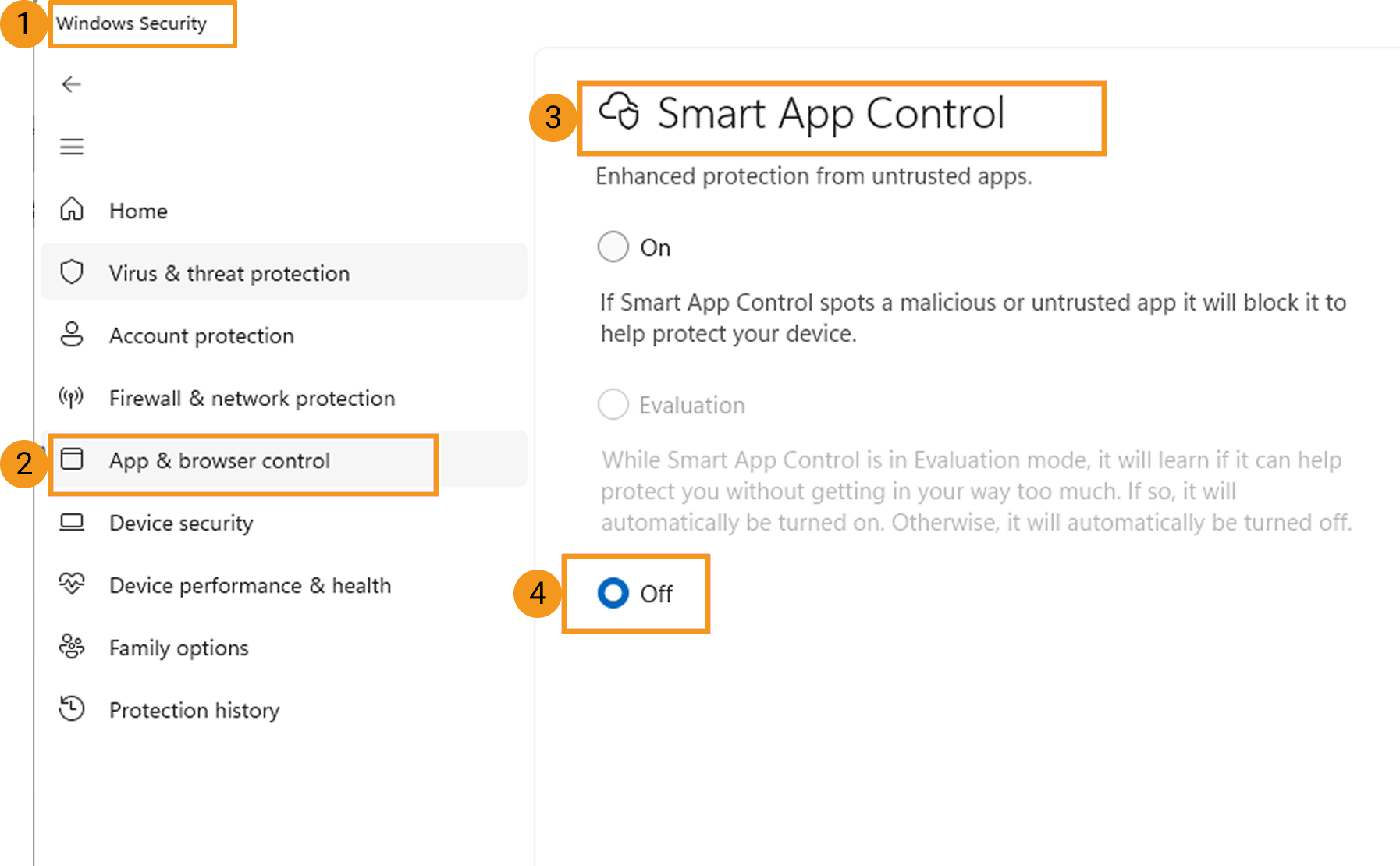
Temporarily disable the Smart App Control feature as follows:
-
Open Windows Security and select App & browser control.
-
In the Smart App Control page, select Off.